

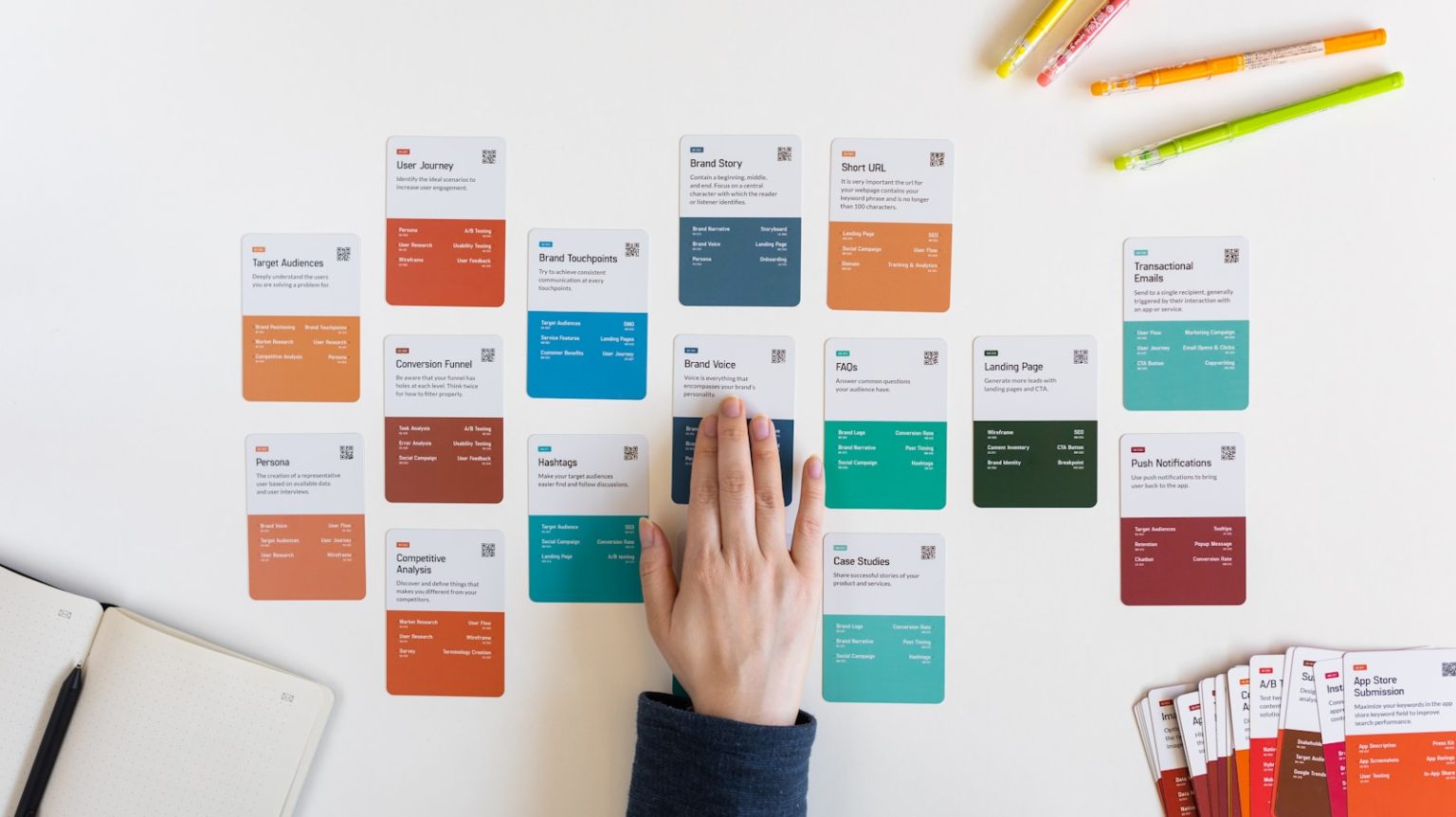
You already know the feeling. You sit down to “finally organize your week,” and suddenly you are drowning in half built Notion pages, color coded Trello boards that no longer reflect reality, and three inboxes full of “quick update” messages from clients. After testing these with my own solo projects over the past few years, I can tell you that picking the right project management tools for freelancers is not a small decision. It is survival.
When you are self-employed, you are not just managing projects. You are managing expectations, boundaries, energy, and the constant fear that something important slipped through the cracks. That is exactly why the right system matters so much in 2026, when more people than ever are running one person businesses and juggling multiple clients at once.
To write this guide, I reviewed firsthand accounts from freelancers, consultants, and creative independents who documented the tools they use to stay organized and sane, including practitioner blog posts, podcast interviews, and published workflow breakdowns from solo consultants. I prioritized patterns in what these professionals actually use daily, not just what they recommend in theory.
Below, I walk through the project management tools that consistently work for self-employed professionals, why they work, where they fall short, and how to choose the right one for your business. If you are still working out how your freelance business differs from other self-employed setups, start with the basics of how freelancing and self-employment differ before deciding how much structure you actually need.
Why project management matters so much when you are self-employed
When you run a one person business, every task competes with every other task. Client delivery, lead generation, admin, taxes, invoicing, follow ups, and creative work all fight for the same hours. Without a system, your days default to fire drills and reactive work.
Your goal is not to manage complex org wide workflows. It is much simpler: keep your promises, avoid burnout, and create enough structure that your creative or technical work stays high quality.
A good project management tool helps you:
- Track client work without mentally juggling dozens of deadlines
- Reduce emotional labor by offloading decisions to a system
- Create repeatable processes for onboarding, delivery, and follow ups
- Prevent scope creep, a top cause of solopreneur stress
- Protect the deep work blocks that actually move revenue
When you choose the right platform, you typically feel the difference within about 30 days: fewer dropped balls, more predictability, and noticeably less entrepreneurial chaos. I have seen this play out with my own clients, and it is a pattern that shows up again and again in the solo business community.
The tools below show up repeatedly in documented solo business workflows, each one shining in a slightly different context.
The best project management tools for solopreneurs in 2026
1. Trello
Best for: Visual thinkers, creatives, and project based freelancers.
Trello remains a staple among designers, writers, developers, and consultants who think best in visual flows. Many solo creatives use Trello the same way they would use a physical whiteboard: simple columns, drag and drop cards, and a workflow that evolves with each project.
In practitioner interviews, freelance designers have described how Trello helped them communicate revisions clearly and reduce back and forth emails with clients. Trello boards become shared spaces where clients can track progress without micromanaging every step.
Strengths:
- Extremely easy to learn
- Perfect for project based client work
- Works well for collaboration when clients want visibility
- Supports light automation through power ups
Limitations:
- Hard to scale if you manage many small tasks
- Weak as an all in one for time tracking or complex workflows
Trello offers a usable free tier, with paid plans available if you need more automation. Best fit: you want a simple, visual, low friction system with minimal setup.
2. Asana
Best for: Solopreneurs juggling many clients or multiple concurrent projects.
Asana comes up constantly in case studies from consultants, marketing pros, and fractional leaders who need both structure and speed. In multiple practitioner breakdowns, independents described Asana as their external brain, especially the timeline and recurring task features.
One freelance operations consultant documented using Asana to build checklists for every recurring service, which cut her delivery time significantly over six months because she stopped reinventing workflows from scratch each time.
Strengths:
- Excellent recurring task management
- Helpful for building client onboarding processes
- Great for organizing large volumes of tasks
- Strong automation options
Limitations:
- Can feel heavy for simple businesses
- Some clients find it intimidating to use
Asana has a free plan for individuals, with paid tiers priced per user if you eventually bring on contractors. Best fit: you manage multi step, repeatable work or juggle several client projects at once.
3. Notion
Best for: Solopreneurs who want tasks, docs, a CRM, and standard operating procedures all in one place.
Notion is the platform many freelancers graduate to once they want a unified system. Writers, coaches, consultants, and developers often share workflows showing Notion pages that double as client hubs, SOP libraries, project trackers, and content calendars.
Several independent creators have documented how switching to Notion helped them cut tool fatigue by consolidating five or more apps into one. Many also admit that setup takes real time and iteration before it clicks.
Strengths:
- Highly customizable
- Can replace multiple apps, including docs, databases, tasks, and a lightweight CRM
- Great for solopreneurs who deliver knowledge based work
- Clean client facing pages for briefs and deliverables
Limitations:
- Can become disorganized without intentional structure
- Setup effort is real, and templates only help so much
Notion offers a free plan that covers most solo use cases, with paid plans available for teams. Best fit: you want an all in one system and enjoy building or customizing workflows.
4. ClickUp
Best for: Technical freelancers, agencies of one, or anyone managing complex work.
ClickUp often shows up in stories from developers, engineers, and operations consultants because it is powerful and highly scalable. One independent systems consultant described using ClickUp to manage automation builds across multiple client accounts, noting that custom statuses alone saved him hours every week. It is often described as the last system solopreneurs will ever need if they want deep customization without building everything from scratch.
Strengths:
- Handles advanced workflows
- Highly customizable task views
- Strong time tracking and hierarchy options
- Ideal for technical and systems heavy work
Limitations:
- Can feel overwhelming early in a business
- Requires more setup than Asana or Trello
ClickUp has a generous free tier, with paid plans starting at a modest monthly price per user. Best fit: you have complex, multi layered projects or want a system that grows with you.
5. Todoist
Best for: Minimalists managing smaller client loads plus personal tasks.
Todoist is beloved by writers, coaches, and consultants who prefer minimal friction. Many solopreneurs use it not as a full project management system but as a daily execution engine, with their actual project planning living elsewhere, often in Google Docs or Notion.
One freelance copywriter shared how Todoist cut her overwhelm by forcing her to commit to only a handful of daily priorities instead of endless task lists.
Strengths:
- Fast, lightweight, and great for daily habits
- Excellent mobile experience
- Intuitive recurring tasks
- Great for solopreneurs who dislike complexity
Limitations:
- Not ideal for client collaboration
- Limited project level structure
Todoist offers a free tier for basic use, with a paid plan available for more advanced filters and reminders. Best fit: you want a fast, simple tool to keep you moving rather than a full system.
6. Monday.com
Best for: Solopreneurs with high volume operations or those planning to hire a virtual assistant.
Monday.com is frequently mentioned by independent marketers, social media managers, and fractional CMOs who handle large amounts of deliverables or oversee contractors. Its automation features are a common reason practitioners choose it. One solo marketer documented eliminating nearly all manual reporting reminders after switching.
Strengths:
- Strong automations and templates
- Great for collaborative workflows
- Suitable for solopreneurs running mini teams
- Highly visual dashboards
Limitations:
- More expensive than simpler tools
- Overkill if you just need basic task management
Monday.com tends to cost more per seat than Trello or Todoist, though the automation can pay for itself once you outsource repetitive work. Best fit: you anticipate growing or already manage contractors and want a scalable structure.
7. Airtable
Best for: Solopreneurs whose work revolves around data, assets, or content pipelines.
Airtable shows up in case studies from creators, social media managers, and consultants who manage content calendars, data records, or large libraries of client assets. Several independent creators documented how Airtable helped them create single sources of truth for content libraries and client deliverables.
Strengths:
- Part spreadsheet, part database
- Excellent for managing assets at scale
- Powerful filtering and views
- Ideal for content heavy or data driven work
Limitations:
- Not a traditional project management tool
- Works best when paired with a dedicated task manager
Airtable has a usable free plan, with paid tiers unlocking more automation and storage. Best fit: you manage a lot of content or structured information.
How to choose the right project management tool as a solopreneur
Think of this as a matching exercise. The right tool depends on how your business actually works, not on features alone.
Match the tool to your workload complexity
- Low complexity (one to three clients, simple deliverables): Trello, Todoist
- Medium complexity (repeatable services, ongoing retainers): Asana, Notion
- High complexity (technical workflows, overlapping deadlines): ClickUp, Monday.com
Match the tool to your thinking style
- Visual thinker: Trello, Monday.com
- Structured thinker: Asana, ClickUp
- System builder: Notion, Airtable
- Minimalist: Todoist
Consider your energy, not just your workflow
Many solopreneurs underestimate how much emotional friction sabotages consistency. If setup drains you, Notion might stall your progress before it even starts. If rigid systems stress you out, Asana or ClickUp may not be the right fit either.
If too much flexibility overwhelms you, Trello can devolve into a mess of forgotten cards fairly quickly. Pick what helps future you show up consistently, not what looks impressive to other freelancers.
Start with one system and refine after 30 days
Nearly every practitioner who shared workflow insights described improving their system only after using it daily for a while. Tool changes rarely solve disorganization. Clarity and consistency do.
Commit to one tool for a month, gather what works and what feels painful, then adjust. This habit saves more time than endlessly switching between project management tools for freelancers in search of a perfect fit that does not exist.
A simple 7-day plan to pick the right tool
- Write down your actual workflow: how clients move from inquiry to delivery.
- Identify your friction points, such as missed details, unclear deadlines, and overwhelm.
- Choose your tool category: simple, structured, or systems heavy.
- Test two tools for 20 minutes each, not hours. Go with the one that feels clearer.
- Build one project template you can reuse for every client.
- Add just your next seven days of tasks, not your entire life backlog.
- Use the tool daily for 30 days before making any changes.
A messy project tracker often points to messier finances, so pairing your new workflow with a proper bookkeeping system for the self-employed tends to compound the benefits. The IRS small business and self-employed tax center also outlines which software and subscription costs you may be able to deduct as ordinary business expenses.
If you are rethinking how you structure your hours around a new tool, sustainable work schedules for long term freelancers pairs well with any project management overhaul. And if disorganization has been costing you clients or hours, check whether you are making any of the common productivity mistakes freelancers make before you blame the software itself.
For anyone still building a client base, the guide to finding your first freelance clients is a useful companion resource. New software also means new subscriptions to plan for, so fold any paid plan into a monthly budget built around variable freelance income.
Before handing client data to any of these platforms, check how each vendor handles your information. The FTC’s guidance on business privacy and data security is a useful baseline, and the SBA’s guide to managing a small business covers the operational habits that make any tool more effective.
Final thoughts
Project management as a solopreneur is not about becoming hyper efficient. It is about creating a system that protects your focus, reduces anxiety, and helps you deliver excellent work without running yourself into the ground.
The right tool will feel like support, not a second job. Start simple, build slowly, and improve only when your workflow demands it, not because you feel behind.
Frequently asked questions
What is the best project management tool for a solo freelancer just starting out?
Trello or Todoist are usually the easiest starting points because they require almost no setup. Start with whichever one matches how you think, visual boards for Trello or simple lists for Todoist, and only add complexity once you feel real friction.
Do I need a paid project management tool as a solopreneur?
Not necessarily. Most of the tools here offer a usable free plan for a single user, and many solopreneurs run their entire business on the free tier. Paying usually only makes sense once you need more automation, storage, or start bringing on contractors.
Can I use more than one project management tool at the same time?
Yes, and many solopreneurs do. A common pairing is Todoist for daily execution alongside a more structured tool like Notion or Airtable for long term planning and client records. Just avoid duplicating the same information in two places.
Which project management tool is best for managing multiple clients at once?
Asana and ClickUp tend to work best once you are juggling several clients, since both support recurring tasks, templates, and more advanced organization than simpler tools. Monday.com is also a strong option if you are starting to hire contractors or a virtual assistant.
How long does it take to get comfortable with a new project management system?
Most practitioners in this guide reported feeling a real difference within about 30 days of consistent daily use. The biggest factor is not the tool itself but whether you commit to using it every day instead of switching tools before giving one a fair chance.
Is Notion or Airtable a better fit for a content-based business?
Airtable tends to work better for structured content pipelines, asset libraries, and anything that benefits from spreadsheet style filtering. Notion works better if you also need docs, client facing pages, and a more flexible workspace alongside your content calendar.
What should I do if my project management tool is not working for me anymore?
First, separate the tool problem from a process problem, since most disorganization comes from an unclear workflow rather than the software itself. If you have used a tool consistently for 30 days and it still creates friction, revisit the workload complexity and thinking style guidance above before switching to something new.
Photo by Alphabag; Unsplash


