


A few years ago, I hit the classic self-employed wall: my income was growing, but my retirement plan was stuck in neutral. I wanted higher contribution limits, Roth flexibility, and low fees I could explain to my bookkeeper in one line. I started comparing Solo 401(k) providers after a long talk with a CPA who works mostly with freelancers and solo LLCs. She told me the same thing I now tell readers: fees compound just like returns, so keep costs simple and low.
I tried accounts at big brokerages and read way too many plan documents. I also spoke with founders who use self-directed custodians to buy real estate through a Solo 401(k). Finding the right fit took longer than I expected. Here’s what I learned: successful solo operators don’t chase fancy features. They pick a low-cost provider, automate contributions, and keep investments diversified and boring. Complexity is optional.
You don’t need the most feature-packed plan to win. If you want loans or alternative assets, pick a provider that supports them. If not, go for the simplest $0-fee brokerage plan and move on. This guide pulls together my research and our team’s notes, with plain-English pros, cons, and pricing. I’ll share which plan fits best, where the fine print hides, and which one I personally use.
Here’s a quick summary before we get into the details:
Comparison of 6 Best Low-Cost Solo 401(k) Plans in 2026 With Pricing and Recommended Use Cases
Scroll down for my take on each option, which one I chose, and the best $0-fee pick if you’re just getting started.
What Is a Solo 401(k)?
A Solo 401(k) is a retirement plan for self‑employed individuals with no full‑time employees besides a spouse. It’s a service offered by brokerages or plan document providers to let you contribute as both “employee” and “employer.” I follow the simple rule: control what you can control. With a Solo 401(k), I control contributions, investment choices, and ongoing fees. That independence matters more than chasing hot funds.
Here’s the value in plain numbers. Hitting the combined contribution limit in a Solo 401(k) can dwarf an IRA. Even a basic 8% return on $30,000 yearly adds up far faster than maxing a traditional IRA alone. In short, freelancers and owner‑only businesses use Solo 401(k)s to funnel pre‑tax or Roth contributions from business income, invest through a brokerage or custodian, and build a larger retirement balance with low ongoing costs.
Many pair a Solo 401(k) with an HSA for tax efficiency, automatic transfers from their business bank account, and a simple two‑fund or three‑fund ETF portfolio. Not every Solo 401(k) works the same, though, so it pays to compare features like Roth support, loans, and alternative assets before you commit.
How to Choose the Best Solo 401(k)
Picking a Solo 401(k) feels harder than it should. There are many providers, the tax rules shift, and the small print around loans and Roth options can be confusing. I put this guide together to help you match a plan to your actual goals, whether that’s dead‑simple index investing, taking a plan loan, or holding real estate. Most lists on this topic are written by the platforms or by media roundups packed with sponsored placements. I am not sponsored by any provider on this list. This is a straight take based on my research, real conversations, and what I’d recommend to a friend.
Here are some questions you should ask when looking for a plan:
- Is there a true $0 setup and $0 annual fee, or hidden admin costs?
- How easy is it to open, fund, and place a basic ETF order?
- Does the plan scale with Roth options, profit‑sharing, and catch‑up contributions?
- What will my costs look like at $50k, $250k, and $1M invested?
- Does it include plan features I care about (loans, after‑tax, rollovers)?
- What kind of statements and performance tracking will I get?
- Can I migrate the plan later without headaches and new EINs?
- How strong is the support when I need help with Form 5500‑EZ?
- If I want alternative assets, does the provider support compliant checkbook control?
It’s a lot, I know. The ranked picks below answer these questions with real tradeoffs spelled out.
Okay, enough of me rambling, let’s get into the list.
6 Best Low-Cost Solo 401(k) Plans in 2026
Here are my top picks for the best Solo 401(k) plans:
- E*TRADE Solo 401(k)
- Charles Schwab Individual 401(k)
- Fidelity Self-Employed 401(k)
- Vanguard Individual 401(k)
- Rocket Dollar Solo 401(k)
- MySolo401k.net
Let’s see which one is right for you.
1. E*TRADE Solo 401(k)

E*TRADE’s Solo 401(k) is a low-cost brokerage plan designed for sole proprietors and owner‑only businesses. It’s backed by a major broker with $0 online stock and ETF trades and strong mobile tools. What sets it apart for many self‑employed folks is plan flexibility. The opening is straightforward, with no setup or annual fee. The online experience is familiar if you’ve used a brokerage before. Day-to-day, I manage contributions, buy ETFs, and check performance in the same dashboard I use for taxable accounts.
E*TRADE’s Solo 401(k) supports features many competitors skip, including Roth employee deferrals and participant loans. That combination is rare among $0‑fee plans and gives you options for tax planning and short‑term liquidity. In higher‑needs setups, E*TRADE also supports profit‑sharing and rollovers from other employer plans, making consolidation easier. If you want simple index funds, you’ll find plenty of commission‑free ETFs and mutual funds.
I use E*TRADE for my Solo 401(k) because I wanted Roth deferrals and access to loans without paying a document provider every year. No sponsorships here. Just a clean setup that fits how I work. Support has been responsive when I’ve asked about deadlines or 5500‑EZ thresholds. I also like the clarity of their plan kit, which makes the rules easy to follow.
How E*TRADE Works and Key Features
The interface mirrors a standard brokerage account. Placing trades is WYSIWYG: search, review quotes, and submit. You can set up automatic contributions from your linked business bank account and pick ETFs, mutual funds, or individual securities. Templates don’t apply here like they would in software, but E*TRADE’s plan documents are plug‑and‑play for most solo operators. Advanced users can connect cash management tools and use alerts. You won’t code anything; integrations revolve around funding and tax workflows.
Analytics include holdings, performance, realized gains/losses, and cost basis. Automation comes from recurring contributions and dividend reinvestment. You can also open a Roth sub‑account under the plan if you choose Roth deferrals. Customer service is available by phone and chat, and I’ve had clear answers on contribution timing. One E*TRADE user told me, “The Roth + loan combo sealed it for me for my LLC,” which echoes my experience.
Overall, it’s beginner‑friendly while still offering advanced options like loans and broad access to funds.
Who E*TRADE Is For
Best for freelancers, consultants, independent creatives, single‑member LLCs, and real estate agents who want Roth deferrals and the option for a plan loan. Great if you plan to dollar-cost-average into ETFs and keep fees low. If you want alternative assets, like direct real estate, in the plan, you’ll want a self‑directed provider instead. No technical skill is required.
E*TRADE Pricing
E*TRADE uses a straightforward brokerage model: no plan setup or annual maintenance fees, and $0 commissions on online U.S. listed stock and ETF trades. Mutual fund and options pricing follow standard schedules.
- Solo 401(k): $0 setup and $0 annual; $0 online stock/ETF trades; standard mutual fund/option fees apply
Value is excellent compared to competitors because you get Roth deferrals and loans without additional document fees. If you trade ETFs and set contributions on autopilot, your ongoing costs can be essentially zero. Transfer bonuses sometimes sweeten the deal, and there are no pricing surprises for scaling balances.
E*TRADE Pros and Cons
Pros
- $0 setup/annual with $0 stock/ETF commissions
- Supports Roth deferrals and participant loans
- Strong web and mobile experience
- Easy to consolidate with rollovers
Cons
- Not a self‑directed plan for alternative assets
- Mutual fund fees vary by fund family
- Plan features still require you to follow IRS rules closely
If you want a low‑cost brokerage plan with Roth and loans, this is my top pick. If you need checkbook control or real estate, choose a self‑directed provider.
E*TRADE Reviews
There aren’t dedicated third‑party ratings just for the Solo 401(k). Major review sites focus on the overall brokerage platform, and feedback is mixed to positive depending on the features reviewed.
2. Charles Schwab Individual 401(k)
Schwab’s Individual 401(k) is a clean, $0‑fee option for solo owners who like straightforward investing. It’s backed by a major broker with a huge ETF lineup, tight spreads, and dependable customer service. Setup is paper‑light, and funding is easy from a business account. Day-to-day, I can build a simple ETF portfolio and automate contributions in minutes. The platform feels stable and predictable.
Schwab’s plan supports standard pre‑tax deferrals and profit‑sharing. Some versions of the plan include a Roth deferral option—check the current plan documents during setup to confirm the features you want. Where Schwab shines is in low‑cost investing. You’ll find Schwab index ETFs with very low expense ratios and $0 commissions on online stock and ETF trades. Loans generally aren’t offered under the base Schwab plan.
I’ve recommended Schwab to friends who want a set‑and‑forget ETF lineup and clear statements. The experience is simple in the best way. Support is easy to reach by phone, and branch access can be helpful if you prefer in‑person ID checks or notary services.
How Schwab Works and Key Features
The interface is a standard brokerage dashboard. You can schedule contributions, place trades, and track performance. While there are no “templates,” Schwab’s research tools help you choose diversified ETFs quickly. Advanced investors can use screeners, real‑time quotes, and tax‑lot tracking. Reporting covers positions, time‑weighted returns, and activity. Automation includes recurring transfers and dividend reinvestment.
If you need help, support is available by phone, chat, and at branches. One reader told me, “I opened my Schwab Solo 401(k) over lunch and funded it the same week—no drama.” Overall, this is a balanced choice if you want a very low‑maintenance plan at a top brokerage.
Who Schwab Is For
Best for consultants, designers, developers, and independent professionals who want low‑cost ETFs and minimal fuss. Ideal if you prefer Schwab funds and clear reports. If you need a personal loan, look at E*TRADE. If you need alternatives, such as private deals within the plan, choose a self‑directed provider.
Schwab Pricing
Schwab uses a zero‑maintenance‑fee model for the Individual 401(k), with $0 online commissions on U.S.-listed stocks and ETFs. Mutual fund and options pricing follow Schwab’s standard schedules.
- Individual 401(k): $0 setup and $0 annual; $0 online stock/ETF trades; standard fund/option fees apply
Value is strong for index investors. Annual billing discounts don’t apply because there’s no plan fee. Your ongoing costs come from fund expense ratios, which can be very low with Schwab’s in‑house ETFs.
Schwab Pros and Cons
Pros
- $0 setup and $0 annual fees
- Low‑cost Schwab index ETFs
- Good phone and branch support
- Easy automation for contributions
Cons
- Loans typically not available in the base plan
- Roth availability depends on the current plan documents
- Not for alternative assets
Choose Schwab if you want a stable, low‑cost brokerage plan. If you need loans or very specific Roth features, confirm them or consider E*TRADE.
Schwab Reviews
There aren’t standalone ratings for the Individual 401(k) on sites like G2 or Capterra. Brokerage‑wide reviews are widely available and generally positive on costs and service.
3. Fidelity Self-Employed 401(k)

Fidelity’s Self‑Employed 401(k) is a low‑cost plan backed by a giant in retirement services. Fidelity is known for investor education, low-expense-ratio index funds, and a detailed brokerage experience. Opening the account is simple with no setup or annual fee. The core experience is familiar: link your business bank account, schedule contributions, and build a diversified mix of ETFs or mutual funds.
Fidelity’s plan supports standard Solo 401(k) features like elective deferrals and employer profit‑sharing. Availability of Roth deferrals has evolved over time; check the current plan documents to confirm the options you want before funding. Fidelity shines with research tools, screeners, and detailed reporting. If you like digging into fund data or using planning calculators, this platform has you covered. Participant loans are generally not available under Fidelity’s base Solo 401(k) plan.
I like Fidelity for investors who want strong research and a patient education‑first approach. It’s easy to keep a tidy, low‑cost portfolio here. Phone support has been solid for contribution timing and form questions, which gives peace of mind near year‑end.
How Fidelity Works and Key Features
The primary interface offers a deep toolkit: fund research, watchlists, and clear lot tracking. You can automate transfers and reinvest dividends. While there are no “templates,” Fidelity’s planning pages help you choose allocations based on risk tolerance. Advanced users can place multi‑leg options trades in other accounts, run screeners, and integrate with budgeting tools. Analytics include performance reports and contribution tracking. Support is available by phone and chat.
A reader told me, “Fidelity’s research keeps me disciplined. No guesswork,” which sums up the appeal if you like data. Overall, Fidelity balances beginner‑friendly onboarding with advanced analysis tools that many long‑term investors enjoy.
Who Fidelity Is For
Best for planners, detail‑oriented investors, and solo business owners who like research depth and low‑cost index options. Great if you want educational tools and calculators. If you need a personal loan, look to E*TRADE. If you want alternative assets, choose a self‑directed plan instead.
Fidelity Pricing
Fidelity’s Solo 401(k) has no setup or annual maintenance fee, with $0 online commissions for U.S. stocks and ETFs. Mutual fund costs vary by fund family and share class.
- Self‑Employed 401(k): $0 setup and $0 annual; $0 online stock/ETF trades; standard fund/option fees apply
Value is strong if you stick to low‑expense index funds. Since there’s no platform fee, scaling from $50k to $1M doesn’t add account‑level costs. Only fund expense ratios matter. Confirm specific plan features, like Roth, during setup.
Fidelity Pros and Cons
Pros
- $0 setup and $0 annual fees
- Excellent research and planning tools
- Broad ETF and mutual fund lineup
- Strong education resources
Cons
- Participant loans generally not available
- Roth feature availability has varied; verify at signup
- Interface can feel busy if you want ultra‑simple
If you want data‑driven investing at low cost, Fidelity is a great fit. If loans are a must, pick E*TRADE.
Fidelity Reviews
No dedicated Solo 401(k) ratings on G2 or Capterra. Brokerage‑level reviews are widely available and reflect a strong reputation for research and support.
4. Vanguard Individual 401(k)
Vanguard’s Individual 401(k) is built for investors who want Vanguard funds and low expense ratios. It’s a familiar route for Bogleheads who keep things simple with one or two ETFs. Opening the account is straightforward, with no setup or annual maintenance fee at the brokerage level. You can fund from your business bank account and automate contributions on a schedule.
Vanguard has offered Roth employee deferrals in the Individual 401(k) plan, which many solo investors prefer for tax diversification. Plan loans are not available under Vanguard’s standard Solo 401(k) documents. The strength here is ultra‑low‑cost index investing. Vanguard’s ETF lineup includes broad-market, international, and bond options with expense ratios that are tough to beat over the long term.
I like Vanguard for set‑it‑and‑forget‑it investors who want very low fund costs and don’t need bells and whistles. Support is steady, and the educational content on asset allocation is helpful for new investors.
How Vanguard Works and Key Features
The interface is minimalist. You schedule contributions, buy ETFs or mutual funds, and monitor performance. There aren’t fancy templates, but you get clear allocation tools and straightforward order tickets. Advanced investors can still mix in non‑Vanguard ETFs if desired. Reporting covers holdings, returns, and income. Automation includes recurring transfers and dividend reinvestment.
Phone support can walk you through paperwork and deadlines. A reader told me, “Vanguard keeps me from tinkering, which is good for my future self.” Overall, it’s a calm, low‑cost place to build a retirement portfolio.
Who Vanguard Is For
Best for index purists, coaches, creators, and solo consultants who want Vanguard ETFs and minimal friction. It’s ideal if you don’t need a personal loan. If you want more platform features or a broader research suite, consider Fidelity or Schwab. No technical skill required.
Vanguard Pricing
Vanguard’s brokerage Solo 401(k) has no setup or annual maintenance fee, with $0 online commissions on Vanguard ETFs and most U.S.-listed ETFs. Mutual fund and options pricing follow Vanguard’s schedules.
- Individual 401(k): $0 setup and $0 annual; $0 online stock/ETF trades; standard fund/option fees apply
The headline value is the fund expense ratio, which is among the lowest. If you keep to a simple ETF mix, your all‑in costs stay very low for decades. Loans aren’t supported, so confirm needs before you open.
Vanguard Pros and Cons
Pros
- $0 setup and $0 annual fees
- Ultra‑low‑cost Vanguard index ETFs
- Roth deferral option available in the plan
- Minimalist interface that discourages over‑trading
Cons
- No participant loans
- Fewer research bells and whistles than Fidelity
- Paperwork can feel old‑school at times
Pick Vanguard if you want the classic low‑cost ETF path. If you need loans or additional platform tools, E*TRADE or Fidelity may be a better fit.
Vanguard Reviews
There’s no separate rating just for the Individual 401(k) on G2 or Capterra. Brokerage‑wide reviews are widely available and often praise low fund costs.
5. Rocket Dollar Solo 401(k)
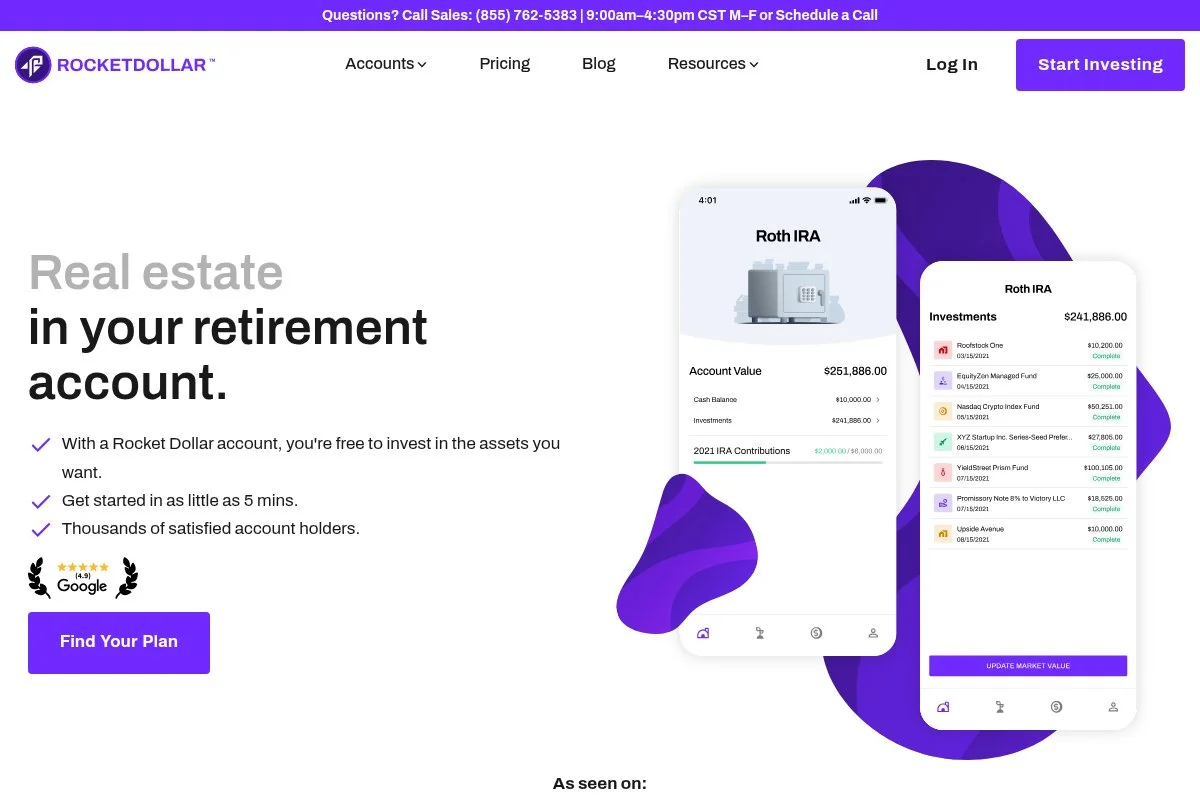
Rocket Dollar offers a self‑directed Solo 401(k) for investors seeking alternative assets such as real estate, private equity, or crypto. It’s built for control, with plan documents and a bank account for checkbook access. The setup includes forming the plan, opening a plan bank account, and funding it. You then direct investments yourself under IRS rules. This is a different experience from a standard brokerage plan, with more responsibility.
Recent updates have focused on clearer onboarding, improved dashboards, and faster support response. That helps first‑timers avoid common mistakes on rollovers and titling. Premium features on the Gold plan include expedited support, a debit card for investment purchases, and additional help with paperwork. Those extras matter if you’re managing multiple deals.
I recommend Rocket Dollar when someone specifically wants non‑public investments inside a 401(k). For regular ETFs, a $0‑fee brokerage plan is simpler. Their knowledge base is strong on prohibited transactions, which helps keep investors out of trouble.
How Rocket Dollar Works and Key Features
You get a Solo 401(k) plan with checkbook control. After funding, you use the plan bank account to invest in allowed assets. There’s no drag‑and‑drop interface; the “interface” is your dashboard plus your bank portal. There are no templates, but you’ll get guides for titling and compliance. Advanced users can hold real estate, private notes, and other alternatives. Reporting centers on balances, cash flows, and contributions; you’ll keep records for 5500‑EZ when required.
Automation is light. Recurring contributions are easy, but deal activity is manual. Support is available via email and phone, with faster response times on the Gold plan. As one investor said to me, “Rocket Dollar gave me the structure to buy a rental in my plan. No way a normal brokerage would allow that.” It’s powerful if you need it, but more work.
Overall, it’s best for experienced investors comfortable with alternative assets and compliance.
Who Rocket Dollar Is For
Best for real estate investors, private lenders, founders investing in startups, and experienced allocators who want non‑public assets in a 401(k). Great if you need checkbook control and fast deal execution. Not ideal for beginners who just want index funds. Some comfort with rules and paperwork is helpful.
Rocket Dollar Pricing
Rocket Dollar charges a setup fee plus a monthly fee, with two tiers based on the level of support and perks.
- Core: $360 setup + $15/month; includes plan, checkbook control, and standard support
- Gold: $600 setup + $30/month; adds priority support, a debit card, and expedited services
Compared to $0‑fee brokerages, this is a paid service for a different purpose: alternative assets. Value is strong if you’ll actually use checkbook control. Costs don’t scale with assets, which can be attractive for larger balances.
Rocket Dollar Pros and Cons
Pros
- True self‑directed Solo 401(k) with checkbook control
- Supports real estate and private deals
- Flat monthly pricing that doesn’t rise with assets
- Helpful guidance on compliance
Cons
- More admin work than a brokerage plan
- Higher cost than $0‑fee brokerages if you only buy ETFs
- You must avoid prohibited transactions
Choose Rocket Dollar if you know you want alternatives inside a 401(k). If you just want index funds, pick E*TRADE, Schwab, Fidelity, or Vanguard.
Rocket Dollar Reviews
Self‑directed accounts aren’t commonly rated on G2 or Capterra. Public reviews focus on support and setup experience and are mixed to positive depending on expectations.
6. MySolo401k.net
MySolo401k.net is a plan document provider specializing in customized Solo 401(k)s, including Roth, after‑tax, and loan features. Many investors pair their documents with a brokerage or bank account to manage investments. The setup includes drafting the plan, obtaining an EIN if needed, and opening accounts to hold assets. It’s hands‑on, but you get support and templates for compliance tasks. This approach offers flexibility that brokerages don’t always provide.
The service has expanded over time to include guidance on mega backdoor after‑tax contributions and rollover strategies. That makes it appealing if you want every feature the code allows in a solo plan. Premium offerings focus on administration help, loan paperwork, and education. If you like having a specialist on call for edge cases, that’s the draw.
I recommend MySolo401k.net for people who want custom features without going fully self‑directed. It’s a middle ground with helpful support. I also appreciate their detailed checklists for contributions, rollovers, and 5500‑EZ filing once assets cross the threshold.
How MySolo401k.net Works and Key Features
You purchase plan documents and guidance, then open the trust account(s) at a bank or brokerage. The “interface” is your chosen financial institution plus MySolo401k.net’s resources and email support. There aren’t templates in a software sense, but you’ll get form packets and step‑by‑step instructions. Advanced users can enable after‑tax contributions for mega backdoor Roth strategies if appropriate. Reporting relies on your brokerage statements and your records.
Automation is limited to what your brokerage or bank supports. Support is email‑first with detailed guides and optional phone help. A customer told me, “They walked me through after‑tax contributions without upselling,” which aligns with my experience of their educational approach. Overall, it’s best for people who want flexibility and are comfortable owning the admin.
Who MySolo401k.net Is For
Best for CPAs, finance‑savvy founders, and experienced self‑employed investors who want custom features like a mega backdoor, Roth, and loans. Good for pairing with your preferred brokerage. If you want a plug‑and‑play brokerage plan with minimal admin, use E*TRADE or Schwab instead. Some comfort with paperwork helps.
MySolo401k.net Pricing
Pricing is a one‑time setup fee plus a modest annual fee for ongoing support and updates. Their publicly listed pricing has been:
- Plan setup: approximately $525 one‑time; includes plan documents and onboarding
- Annual administration: approximately $125/year; includes updates and support
Compared to $0‑fee brokerages, you’re paying for customization and guidance. Versus self‑directed providers, costs are lower if you don’t need checkbook control. Confirm current pricing and features before purchasing.
MySolo401k.net Pros and Cons
Pros
- Custom features like Roth, after‑tax, and loans
- Clear checklists and form packets
- Lower cost than many self‑directed providers
- Works with your preferred brokerage
Cons
- Not a turnkey brokerage account
- More admin work rests on you
- Costs more than a $0‑fee in‑house plan
Pick MySolo401k.net if you want flexibility without going fully self‑directed. If you want zero maintenance, choose a brokerage plan instead.
MySolo401k.net Reviews
There are limited third‑party ratings on software review sites. Most feedback appears on finance forums and YouTube, with a focus on customer support and plan flexibility.
What Is the Best Solo 401(k) Right Now?
My top picks this year are E*TRADE for most solo owners, Schwab if you want ultra‑simple index investing with strong service, and Vanguard if you’re loyal to their ETFs and low expense ratios. E*TRADE is my number one. I actually use it for my own Solo 401(k). This isn’t sponsored. I first chose it after comparing plan documents with a CPA friend and realizing I could get Roth deferrals and loans without paying annual plan fees. The ability to keep investments simple and still have a loan option was the clincher.
From a value standpoint, E*TRADE scales nicely. You pay $0 in plan fees whether you have $10k or $1M. Your main costs are fund expense ratios, which you control. Many alternatives charge setup plus monthly fees if you want loans or extras, and those costs can add up over decades. Schwab is a very close second. If you want a steady platform, great index ETFs, and easy phone or branch support, it’s a joy. For many of our readers who just buy two or three ETFs and rebalance yearly, Schwab hits the sweet spot.
What I love about Schwab is the “boring is good” approach. If I had started my business with a simple ETF plan and zero admin, I could have saved hours of research and gotten the same outcome. Vanguard is my third choice, especially if you’re already using their funds and want to keep everything under one roof. It’s a clean path for long‑term, low‑cost investing, and it offers a Roth deferral option in the plan.
I also use multiple brokers for different goals. My taxable account sits elsewhere for specific strategies, while my Solo 401(k) lives at E*TRADE for the Roth + loan combo. That split works for me. Choosing between these top options is genuinely tough. I stuck with E*TRADE because I like having a loan option available, even if I never use it, and I value the straightforward, $0‑fee setup with strong ETF access.
I hope this helped you narrow your choice. Pick the plan that lets you contribute consistently, invest calmly, and keep costs low. Your future self will thank you.
Frequently Asked Questions
Q: Who qualifies for a Solo 401(k)?
You must have self‑employment income and no full‑time employees other than a spouse. Part‑time contractors don’t disqualify you. If you hire full‑time staff, you’ll need a different 401(k) type.
Q: Can I have both a Solo 401(k) and an IRA?
Yes. You can contribute to a Solo 401(k) and fund a traditional or Roth IRA, subject to annual contribution limits and income limits. The Solo 401(k) limits are separate and usually higher.
Q: Do these plans allow Roth contributions?
Many Solo 401(k)s now support Roth employee deferrals. E*TRADE and Vanguard offer Roth options. For others, confirm the current plan documents during setup to ensure Roth is included.
Q: When do I need to file Form 5500‑EZ?
You must file Form 5500‑EZ once plan assets exceed $250,000 at year‑end, or when you terminate the plan. Most providers offer basic guidance, but you’re responsible for filing on time.
Photo by Andre Taissin: Unsplash


