

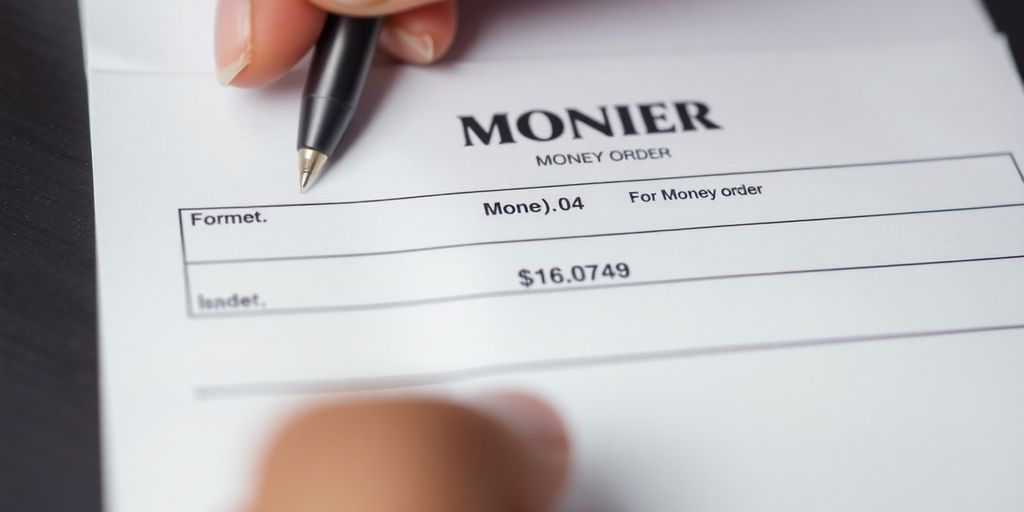
If you are wondering how to fill out a money order correctly, you are not alone. After helping dozens of self-employed clients handle everything from rent payments to vendor invoices, I can tell you that money orders remain one of the most reliable ways to send guaranteed funds when a check or wire is not practical. The form looks simple, but a single mistake can render the money order unusable and force you to file for a replacement that takes weeks to process.
This guide walks through exactly how to fill out a money order step by step, where to buy one, what each field actually means, and the common mistakes that cause delays or rejections. Whether you are paying a security deposit, sending money to a family member, or paying a contractor who does not accept digital payments, you will leave knowing precisely how to complete the process correctly the first time.
What a money order actually is
A money order is a prepaid payment instrument that functions like a check but cannot bounce. You hand cash or a debit card to the issuer, and they print a paper document made out to a specific recipient. Because the funds are paid up front, the recipient is guaranteed to receive payment as long as the document itself is legitimate.
The Federal Trade Commission categorizes money orders as one of the safest non-electronic payment methods, which is why they are often required for security deposits, court fees, and immigration paperwork. They are also commonly used by self-employed professionals when a vendor or landlord cannot accept business credit cards or wire transfers.
Where to buy a money order before learning how to fill out a money order
You can purchase money orders from several places, and the fees vary considerably. Knowing the options matters because each issuer uses a slightly different form layout, though the fields are functionally the same.
The U.S. Postal Service
USPS money orders are widely accepted and have the highest single-document limit at $1,000 (domestic). Fees range from about $2 to $11 depending on the amount. Postal money orders are accepted internationally in many countries, which makes them useful for self-employed clients with cross-border payment needs.
Banks and credit unions
Most banks sell money orders to account holders. Fees typically run $5 to $10 per money order, and the maximum amount is usually $1,000. Credit unions often have lower fees for members.
Walmart, CVS, and other retailers
Walmart, CVS, 7-Eleven, and many grocery stores sell money orders through MoneyGram or Western Union. Fees are typically the lowest, often under $1, but the maximum is also $500 to $1,000 depending on the location.
Information you need before you start
Before learning how to fill out a money order, gather every piece of information first. The most common cause of rejected money orders is rushing and writing incorrect details. Have these details ready:
- The exact legal name of the recipient (person or business)
- The recipient’s full mailing address, if required
- Your full name and current mailing address
- Your phone number, if your issuer asks for it
- The exact dollar amount you are paying
- A reference number or memo, such as an invoice number, account number, or apartment number
How to fill out a money order: the step-by-step process
Here is how to fill out a money order without making the mistakes I see most often. Take your time and use a black or blue ink pen. Pencil and erasable pens are not acceptable.
Step 1: Write the recipient’s name on the “Pay to the Order Of” line
This is the single most important field. Write the recipient’s exact legal name. If you are paying a business, use the business’s full registered name. Do not use nicknames, abbreviations, or shortened versions. If the recipient is a landlord operating under a property management LLC, write the LLC name unless your lease specifies an individual.
Step 2: Write your name on the “From” or “Purchaser” line
Most money orders have a designated line for the sender, sometimes labeled “From,” “Purchaser,” or “Remitter.” Print your full legal name clearly. This identifies who paid for the money order if there is ever a dispute.
Step 3: Add your address
Some issuers require the purchaser’s full address. Write your current mailing address, including apartment number and zip code. Print clearly so anyone reading the document can identify you later.
Step 4: Fill in the recipient’s address (if there is a field)
USPS and some retailer money orders include a separate field for the recipient’s address. Banks usually do not. If your form has this field, fill it in. If not, do not write the recipient’s address anywhere else.
Step 5: Write the memo or reference number
The memo line, sometimes labeled “For” or “Payment for,” is where you note the purpose of the payment. For self-employed payments, include the invoice number, lease address, account number, or service description. This protects you if the recipient claims they never received funds for a specific bill.
Step 6: Sign the front of the money order
Sign on the line that says “Purchaser’s Signature,” “Drawer,” or “Signature.” This is on the front of the money order, never the back. The back is reserved for the recipient’s endorsement when they cash or deposit the money order.
Step 7: Keep your receipt
The detachable receipt portion contains the tracking number, amount, date, and issuer information. This is your only proof of purchase if the money order is lost, stolen, or never cashed. Self-employed professionals should treat the receipt the same way they treat any business expense documentation: scan it, save it, and back it up. The bookkeeping guide covers how to organize records like this for tax season.
Common mistakes when learning how to fill out a money order
These are the errors I see most often when reviewing money orders that come back rejected.
Writing the recipient’s name wrong
If the recipient cannot match the name on the money order to their identification or business filings, the document cannot be cashed. This is the most common cause of rejection. Always confirm the exact spelling and legal name before you write anything.
Signing the back instead of the front
The back is for the recipient’s signature when they deposit the money order. If you sign the back, the document is effectively endorsed to anyone who finds it, which creates real fraud risk.
Forgetting to sign at all
An unsigned money order is not valid. Always check before leaving the counter that you have signed the purchaser line.
Losing the receipt
Without the receipt, you cannot trace, replace, or cancel the money order. Keep the receipt in your business records until you have confirmed the recipient cashed it.
Using a money order for the wrong amount
Money orders are not refillable or modifiable. If you write the wrong amount, you must return to the issuer with the document and your receipt to request a refund or replacement.
How to track and verify a money order
Each issuer offers tracking through different channels. USPS lets you check status at usps.com using the serial number on your receipt. MoneyGram and Western Union have online tools for their products. Bank money orders typically require calling the bank directly with your reference number.
Tracking confirms two things: that your money order has not been cashed yet (so it is still in transit or with the recipient), or that it has been cashed and by whom. If you suspect fraud or loss, file a request for a replacement immediately. The process can take 30 to 60 days, which is why retaining the receipt is critical.
When to use a money order versus alternatives
Money orders make sense in specific situations. They are the right tool when you need guaranteed funds, when the recipient cannot accept electronic payments, or when you are paying someone you do not fully trust and a check would be risky. They are not the right tool when speed matters, when the amount exceeds $1,000 (you would need multiple money orders), or when the recipient prefers digital payment.
Cashier’s checks
Cashier’s checks, issued by banks, function similarly but typically allow much higher amounts (often $250,000 or more). They cost more, around $10 to $20, and are usually preferred for real estate transactions and other large payments.
Electronic transfers
For self-employed clients paying contractors or vendors, ACH transfers, Zelle, and wire transfers are usually faster and cheaper. They also leave a clean digital trail that integrates with bookkeeping software, which matters for tax purposes. The essential forms guide covers what payment documentation to retain.
Personal checks
Checks remain useful for trusted recipients but lack the guarantee of money orders. They can bounce if there are insufficient funds, and they expose your bank account number to the recipient.
Final thoughts on how to fill out a money order
Knowing how to fill out a money order correctly is one of those small skills that pays off the moment you need it. The process is simple once you have done it once, but the consequences of getting it wrong (delayed rent, missed vendor payment, replacement fees) make it worth doing right the first time. Take your time, double-check the recipient’s name, sign only the front, and always keep the receipt. Self-employed professionals especially should treat money order receipts as part of their financial records, the same way they treat invoices and contracts.
Frequently Asked Questions
How do I fill out a money order from Walmart?
Walmart money orders use MoneyGram forms. Write the recipient’s full legal name on the “Pay to the Order Of” line, your name and address in the purchaser section, the amount, the memo or reference, and sign the front. Keep the detachable receipt for tracking.
Where do I sign a money order?
Always sign the front of the money order on the line labeled “Purchaser’s Signature,” “Drawer,” or “Signature.” Never sign the back. The back is reserved for the recipient’s endorsement when they cash or deposit the money order.
Can I cancel a money order if I make a mistake?
Yes, you can request a refund or cancellation if the money order has not been cashed. You must return to the issuer with both the money order and the original receipt. Replacement processing typically takes 30 to 60 days.
How much does a money order cost?
Fees vary by issuer. USPS charges $2 to $11 depending on amount. Banks usually charge $5 to $10. Walmart and other retailers typically charge under $1. The maximum amount per money order is generally $500 to $1,000.
Do I need ID to buy a money order?
For amounts over $3,000, federal regulations require ID. Many issuers ask for ID at lower amounts as well, especially when paying with cash. Bring a government-issued photo ID to be safe.
How long does it take a money order to clear?
When deposited or cashed by the recipient, money orders typically clear within one to three business days, much faster than personal checks. The recipient must endorse the back before depositing.
Can I send a money order internationally?
USPS sells international money orders that work in many countries, with a $700 maximum per order. Western Union and MoneyGram also offer international options through their networks. Fees and exchange rates apply.


