

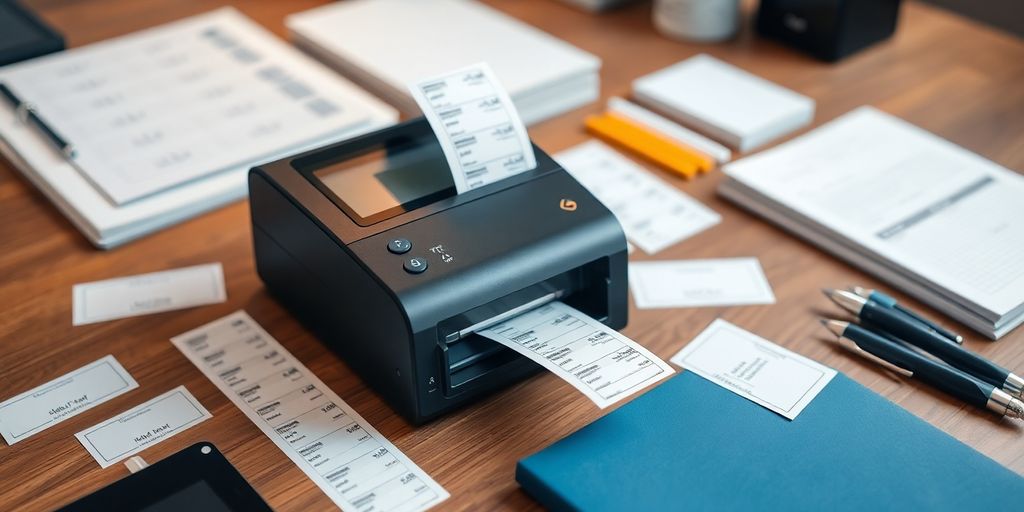
After a decade of helping self-employed founders streamline their operations, I can tell you that the right best label maker for your business is one of those small purchases that quietly produces outsized returns. The wrong one collects dust on a shelf. The right one tightens shipping, organizes inventory, and makes a one-person business look like a real company. This guide walks through the best label maker options for self-employed work in 2026, with the trade-offs, real prices, and decision rules I use with my own clients.
Whether you are running a maker brand, a service business with thousands of files, or a small e-commerce operation, picking the best label maker for your specific workflow saves measurable hours every week.
Why the best label maker decision matters more than you think
For most self-employed founders, labeling is a hidden time sink. You print shipping labels on a regular printer, hand-write organizational labels, and patch together inventory tags with whatever you have on hand. Each compromise costs minutes per task, which becomes hours per week, which becomes a real chunk of your most valuable resource.
The best label maker for your business depends on three things: what you are labeling, how often, and where. After helping dozens of founders pick the right device, I have stopped recommending one universal answer. The right label maker for a candle maker doing 50 shipments a day is wrong for a tax pro who labels client folders quarterly. Below is the framework I use to pick.
How to figure out the best label maker for your business
Before shopping, answer four practical questions.
What are you actually labeling?
Are you labeling shipping packages, product packaging, retail price tags, files and folders, or industrial assets? Each use case has a sweet-spot label width, material, and durability requirement. Labeling files needs paper labels. Labeling retail products needs durable adhesive. Labeling outdoor assets needs weatherproof material.
How many labels per week?
If you are printing 5 labels a week, a basic desktop unit is fine. If you are printing 200 a day for shipping, you need a thermal label printer designed for volume. Trying to use a $40 home label maker for a real shipping operation breaks the unit and your sanity within a month.
Where are you labeling?
If you label at a single workstation, a wired desktop unit is your best label maker option. If you label across a workshop, a warehouse, or in the field, look at portable or wireless models.
What is your real budget, including supplies?
The sticker price is only half the story. Some best label maker options have proprietary tape that costs more per label than the unit itself over a year. Always price out a full year of supplies before you commit.
If you do not yet have a clean monthly view of your operating costs, our self-employed bookkeeping step-by-step guide walks through the simplest setup that lets you actually see whether a tool like this is paying for itself.
Types of label makers worth considering
Most self-employed founders end up choosing among three categories.
Desktop label makers
The default for offices and home offices. They sit on a desk, plug into your computer, and print on demand. They are the best label maker option for moderate volume across files, packaging, and product tags. Brother and Dymo dominate this category at the consumer end. Brother’s QL series and Dymo’s LabelWriter line are the workhorses I see most often in self-employed offices.
Industrial and thermal label makers
The right choice for high-volume shipping, durable product labeling, or industrial environments. Thermal printers do not require ink. They print on heat-sensitive label rolls and can run hundreds of labels an hour without overheating. Rollo, Zebra, and Munbyn are common picks in this segment for self-employed e-commerce founders.
Portable and handheld label makers
Small, often battery-powered, and built for labeling in the field or across a workshop. Brother’s portable line and Dymo’s LabelManager line are popular choices. They are the best label maker pick for inventory tagging, warehouse labeling, and event setup work.
Best label maker picks by use case
Rather than rank devices in a vacuum, I match models to the most common self-employed scenarios.
Best label maker for high-volume shipping
For self-employed e-commerce founders shipping 20 or more packages a day, a thermal shipping label printer is non-negotiable. Rollo, Munbyn, and Zebra all sell direct thermal printers in the $150 to $250 range that handle 4-by-6 shipping labels at speed. They integrate with Shopify, eBay, and the major carrier label tools, which is the part that actually saves time. The USPS Web Tools and APIs reference documents the label specifications carriers expect, which is useful when you are double-checking compatibility.
Best label maker for product packaging
Self-employed product founders making consumer goods need a label maker with full color or sharp monochrome and the ability to print custom shapes. The Brother VC-500W color label printer prints full-color labels without ink or toner using thermal technology. For monochrome but high-end product labeling, the Brother QL-1110NWB handles wider product labels and connects over Wi-Fi.
Best label maker for office and file organization
For self-employed accountants, lawyers, consultants, and freelancers who organize physical files, the Brother QL-800 or the Dymo LabelWriter 550 are the sweet spot. Both connect to a computer, support standard file folder labels, and print quickly. Either is the best label maker option in this segment under $200.
Best label maker for inventory and warehouse use
For makers, retailers, and small operations tracking inventory across a workspace, an industrial label maker like the Epson LabelWorks LW-PX800 holds up under daily use and prints on durable materials. If you need portability, the Dymo LabelManager 280 is rechargeable and handheld.
Best label maker for self-employed creators on a budget
If you are launching and want a flexible unit under $100, the Phomemo D30 or D110 series and the Niimbot D11 are popular Bluetooth-enabled options that print from a phone. They are not the best label maker pick for serious shipping volume, but they handle file labels, small packaging, and event work well.
Brand-by-brand comparison
The dominant self-employed brands are Brother, Dymo, and Epson. Each has clear strengths.
Brother label makers
Brother offers the widest range of label makers at the self-employed price point. The QL series is the workhorse for paper-based offices. The VC-500W is the color option. Brother tape and label rolls are widely available, and the software ecosystem is solid even if the design experience is not always elegant.
Dymo label makers
Dymo focuses on simplicity and ergonomics. The LabelWriter series is the easiest to set up and the most consumer-friendly. The LetraTag line is Bluetooth-enabled for phone printing. Dymo proprietary tape is more expensive than third-party alternatives, which is a real cost over a year of heavy use.
Epson label makers
Epson runs heavier in the industrial category. The ColorWorks TM-C3500 is a strong pick for color product labels at scale. The LabelWorks LW-PX800 is built for industrial environments. Epson supplies are generally fewer than Brother or Dymo at the consumer end, which is worth checking before you buy.
Key features that actually matter
After years of watching self-employed founders use these tools, I can tell you which features matter and which are marketing noise.
Connectivity
USB is fine for desktop use. Bluetooth and Wi-Fi matter for portable workflows or for printing from a phone. The best label maker for a mobile workflow always has wireless. The best label maker for a fixed desk does not need it.
Print speed and quality
Label makers list speeds between 60 and 300 millimeters per second. For self-employed shipping operations, 4-by-6 thermal printers commonly handle 60 labels per minute. For office labeling, anything above 90 mm per second is more than enough. Quality matters most for product packaging where labels are customer-facing.
Durability and build
If you label in a workshop, warehouse, or field environment, build matters. A label maker that lives at a single desk does not need industrial construction. Pay for durability when the use case requires it, not as a default.
Cost considerations and supply economics
The first dollar you spend on a label maker is rarely the last. Supplies dominate the lifetime cost of most units.
The hidden costs to model out before you buy:
- Ink, toner, or thermal label rolls.
- Specialty label sizes for products or shipping.
- Replacement parts on heavy-use units.
- Compatible label types if you use third-party supplies.
For most self-employed founders, paying $50 to $100 more upfront for a unit with cheap, widely available supplies saves several times that much in the first year. The best label maker on paper is sometimes not the best label maker on the supply line.
Integrating a label maker into your workflow
The right label maker only saves time if it integrates with the tools you already use.
Software compatibility
Confirm the unit integrates with your e-commerce platform, your shipping carrier, your accounting software, and your file system tools. Brother, Dymo, and Zebra all publish integration lists. Ask before you commit if your stack is unusual.
Training and team support
If you have a virtual assistant, contractor, or family member helping with packing or filing, document the label maker workflow in 10 short steps and store it where they can find it. Even one labeled tutorial cuts onboarding time dramatically.
Streamlining batch printing
Most self-employed founders save the most time when they batch label runs. Print all the day’s shipping labels in one block. Print all the file folder labels for the quarter in a single sitting. Batch printing tightens process and lowers context-switching, which is the largest hidden cost in solo work.
If you are pairing a label maker upgrade with a broader operations cleanup, our essential forms for self-employed professionals overview covers the back-office paperwork that lives next to your physical labeling system.
Sustainability and environmental factors
Self-employed founders increasingly want operations that match their values. Label makers have meaningful environmental considerations.
Energy efficiency
Look for Energy Star ratings or comparable certifications. The day-to-day savings are small, but the lifetime difference adds up, especially on units that stay powered on.
Recyclable materials
Some label rolls and cassettes use recyclable backing or compostable materials. The EPA recycling resources are a useful reference for figuring out what is recyclable in your municipality.
Eco-friendly printing options
Some label makers use refillable cartridges or support soy-based inks. Thermal printers eliminate ink entirely, which is a significant supply-cost and environmental advantage if your use case allows direct thermal labels.
The bottom line on the best label maker for your business
The best label maker for your self-employed business is the one that matches your actual labeling work, integrates with your existing tools, and uses supplies that will not bankrupt you over a year of heavy use. After helping dozens of self-employed founders work through this exact decision, I am convinced the answer is rarely the most expensive unit and almost never the cheapest. Pick the unit sized to your real volume, prioritize cheap and widely available supplies, and schedule batch printing as a discipline. The right label maker, used consistently, is one of the highest hours-saved-per-dollar investments you can make in a solo operation. Pair it with the broader self-employment ideas guide and our high-ticket affiliate programs guide if you are still mapping where the business is heading.
Frequently asked questions
What is the best label maker for a self-employed business?
It depends on use case. For high-volume shipping, a thermal printer like Rollo, Munbyn, or Zebra is the best label maker. For office and file work, Brother QL-800 or Dymo LabelWriter 550. For portable inventory and field use, Dymo LabelManager 280 or Brother portable units.
How much should I spend on a label maker?
Self-employed founders typically spend $50 to $300 depending on volume and use case. Add a year of supplies into your math. The best label maker often comes from the unit with cheap, widely available supplies, not the cheapest unit upfront.
Do label makers connect to phones?
Many do. Bluetooth-enabled units like the Dymo LetraTag 200B, Brother portable line, and budget options like Phomemo and Niimbot let you design and print labels directly from a smartphone. This is especially useful for inventory and field labeling.
Are thermal label makers worth it for shipping?
For self-employed founders shipping 20 or more packages a day, yes. Thermal printers eliminate ink, run quickly, and integrate with major carrier label tools. They are the best label maker category for serious e-commerce volume, and they pay for themselves quickly in supply cost savings.
What brands make the best label makers?
Brother, Dymo, Epson, Rollo, and Zebra are the brands I see most often in self-employed operations. Brother covers the widest range, Dymo is the most user-friendly, Epson runs strongest in industrial, and Rollo and Zebra dominate shipping label printing.
How fast do label makers print?
Speeds range from about 60 to 300 millimeters per second. Most self-employed use cases are well covered above 90 millimeters per second. Thermal shipping printers commonly produce 60 labels per minute, which is enough for a one-person e-commerce shop.
Can a label maker really save time for a one-person business?
Yes, if it matches the workflow. The right label maker, used in batch printing sessions, can save several hours per week across shipping, file organization, inventory, and product packaging. The wrong unit, mismatched to the workflow, just sits in a drawer.


