

Quarterly taxes used to give me Sunday scaries. Not the math, but the mess of receipts scattered, estimates guessed, and payments made at the last minute. I needed a simple, low-cost system that I could trust.
I work with self-employed readers every day, and I see the same story. Great at the craft, tired of spreadsheets. I wanted tools that keep cash in our pockets and time on our calendar. The wake-up call was a year I paid penalties I could have avoided. That stung. I dove into options that real freelancers, consultants, and solo founders actually use, not just what ads push.
What I learned: the people who stay penalty-free do two things well. They track income and write-offs weekly and schedule payments in advance. No fancy suite required. You don’t need the priciest accounting platform to nail quarterlies. A mix of a tracking app and a reliable payment method usually beats a bloated bundle.
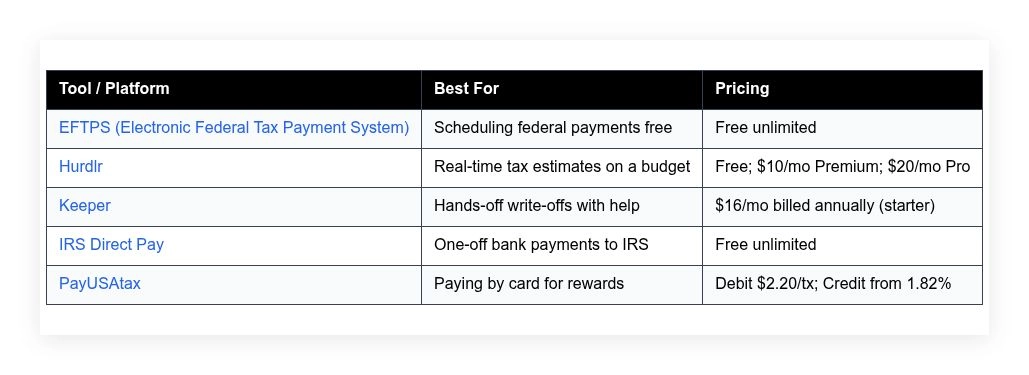
Comparison of 5 Popular Quarterly Tax Payment Tools in 2026 With Pricing and Recommended Use Cases
Scroll down for my detailed take on each option, including the one I personally use, plus where to start for free if you’re new to quarterlies.
What Is a Quarterly Tax Payment Tool?
A quarterly tax payment tool is software or a service that helps self-employed people estimate, schedule, and submit their IRS estimated tax payments. Its main job is to prevent penalties and late fees. There’s a saying I repeat to my team: what gets measured gets managed. With quarterlies, that means tracking income and write-offs often, then paying on time. The payoff is control and fewer surprises.
Think of it like autopay for your business taxes. If you hit your estimates each quarter, you avoid the 0.5% monthly late fee and underpayment penalties that can stack up quickly—sometimes costing hundreds by year-end. In practice, freelancers, contractors, and solo founders use these tools to pull income data from banks or invoices, calculate estimated taxes, create payment vouchers, and send payments to the IRS securely to stay compliant.
People often pair them with expense trackers, mileage apps, or a basic bookkeeping tool. That combo tightens estimates and makes the April filing much smoother. Not every option is equal, though, so it pays to pick one that fits how you actually work.
How to Choose the Best Quarterly Tax Payment Tool
Picking a quarterly tax tool can feel overwhelming. There are free government portals, payment processors, and subscription apps that promise to do it all.
I wrote this guide to help you match the right tool to your workload and budget. I focus on low-cost, low-stress picks that do the job without fluff.
Most lists you’ll find are written by the companies selling the software or by sites with sponsored placements. I am not sponsored by any platform on this list. This is my honest take based on real use and research.
Here are some questions you should ask when looking for a tool:
- How generous is the free tier, and what’s capped?
- Can I easily estimate and schedule payments in minutes?
- Will it scale if my income doubles next year?
- How fast do costs climb as transactions or features increase?
- Does it cover the features I need, like write-off tracking or reminders?
- What analytics or reports help me stay on target each quarter?
- How hard is it to export data or switch later?
- What reliability or security measures are in place?
- Does it support state estimates or just federal?
5 Best Quarterly Tax Payment Tools in 2026
Here are my top picks for the best quarterly tax payment tools:
- EFTPS (Electronic Federal Tax Payment System)
- Hurdlr
- Keeper
- IRS Direct Pay
- Pay1040
Let’s see which one is right for you.
1. EFTPS (Electronic Federal Tax Payment System)
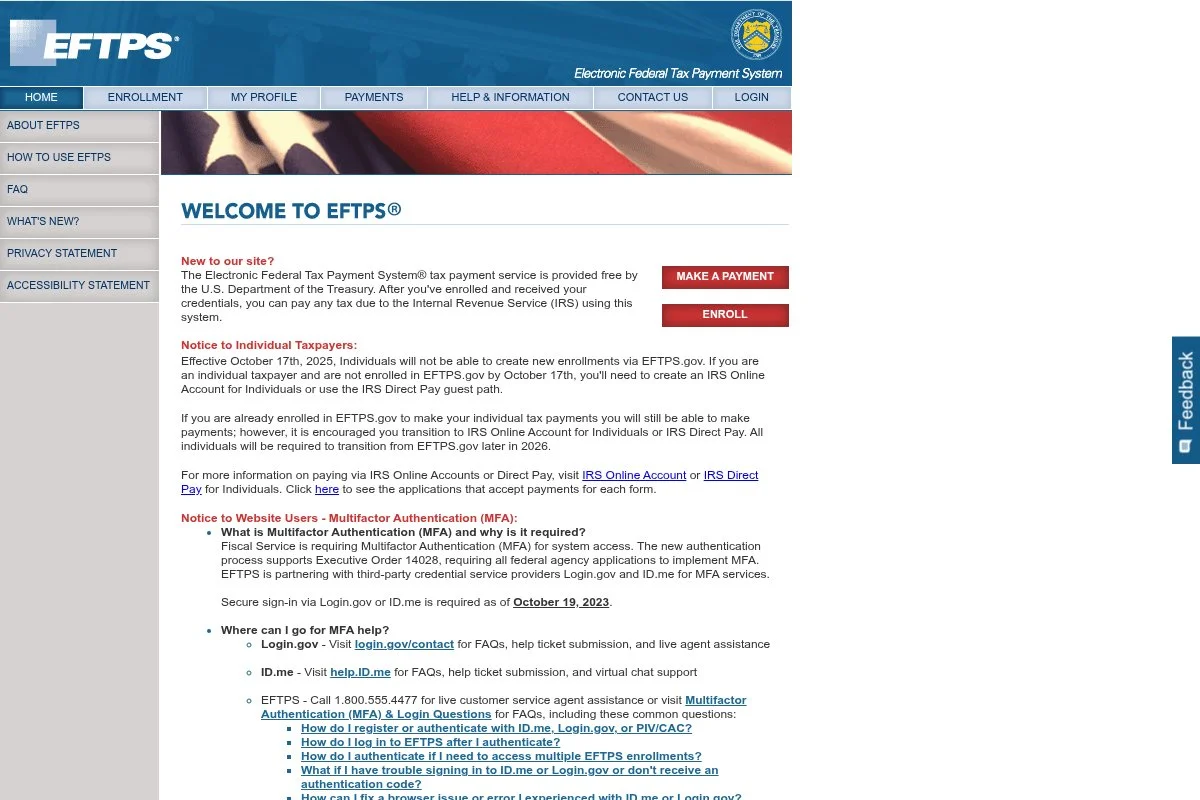
EFTPS is the U.S. Treasury’s official system for paying federal taxes online. It’s been around for decades, is widely used by businesses and individuals, and is my go-to for scheduled quarterly payments. Signup is free. Once you receive your PIN by mail and set your password, you can log in, select “Estimated 1040ES,” and schedule payments ahead. The interface is plain, but it gets the job done.
Recent updates have focused on security and reliability. The system supports scheduling multiple payments and provides confirmations you can save for your records. That peace of mind matters at quarter-end. For power users, the standout is scheduling. You can plan all four quarterly payments at once and adjust the amounts later if income changes. Few third-party apps match that level of control for free.
I use EFTPS for every federal quarterly payment. It’s not flashy, but it’s the most reliable way I’ve found to stay penalty-free without adding monthly costs. Another plus: EFTPS provides a clean payment history. That record saves me time with filing and with any IRS questions.
How EFTPS Works and Key Features
EFTPS uses a simple, form-driven interface. You choose the tax form (for quarterlies, 1040ES), the period, and the bank account. There are no templates; it’s a straight workflow. Advanced users can schedule multiple payments, edit them later, and download confirmations. While there’s no custom code or integrations, it plays nicely with any bookkeeping system because you can export records.
Reports are basic: payment amounts, dates, and confirmation numbers. No analytics, but you do get a clear audit trail, which is what matters for payments. Automation is its strength—set future payments and forget them. There’s no extra toolkit like invoices or forms; this is a pure payment portal.
Support is available through IRS and Treasury phone lines and help pages. It’s government-grade, which means steady but not chat-based. Overall, EFTPS is beginner-friendly for payments and powerful for planners who want to set up an entire year in one sitting.
Who EFTPS Is For
Best for freelancers, consultants, solo LLC owners, and anyone paying federal estimates. If you like to schedule payments in advance and keep costs at zero, this is for you. It doesn’t calculate estimates; pair it with a tracking app. If you need state payments or card rewards, consider other options.
EFTPS (Electronic Federal Tax Payment System) Pricing
EFTPS is 100% free. There are no setup fees, monthly fees, or per-transaction charges.
- Individual and Business Accounts: $0/month, unlimited payments, includes scheduling and payment history
Compared with payment processors that charge card fees, EFTPS saves money. Annual costs are zero, and you still get scheduling and confirmations. There’s no “pro” tier, and that’s the point.
Pros and Cons of EFTPS
- Pros: Free; rock-solid reliability; schedule all four payments; detailed confirmations.
- Pros: No card fees; keeps a clean federal payment history.
- Cons: No state payments; no built-in tax estimate calculator.
- Cons: Old-school interface; initial signup requires waiting for a mailed PIN.
If you want free, scheduled federal payments, choose EFTPS. If you need a slick design or state payments in one place, you’ll want a companion tool.
EFTPS (Electronic Federal Tax Payment System) Reviews
There aren’t traditional third-party reviews for EFTPS. Feedback is mostly from accountants and IRS resources, which consistently recommend it for secure federal payments.
2. Hurdlr
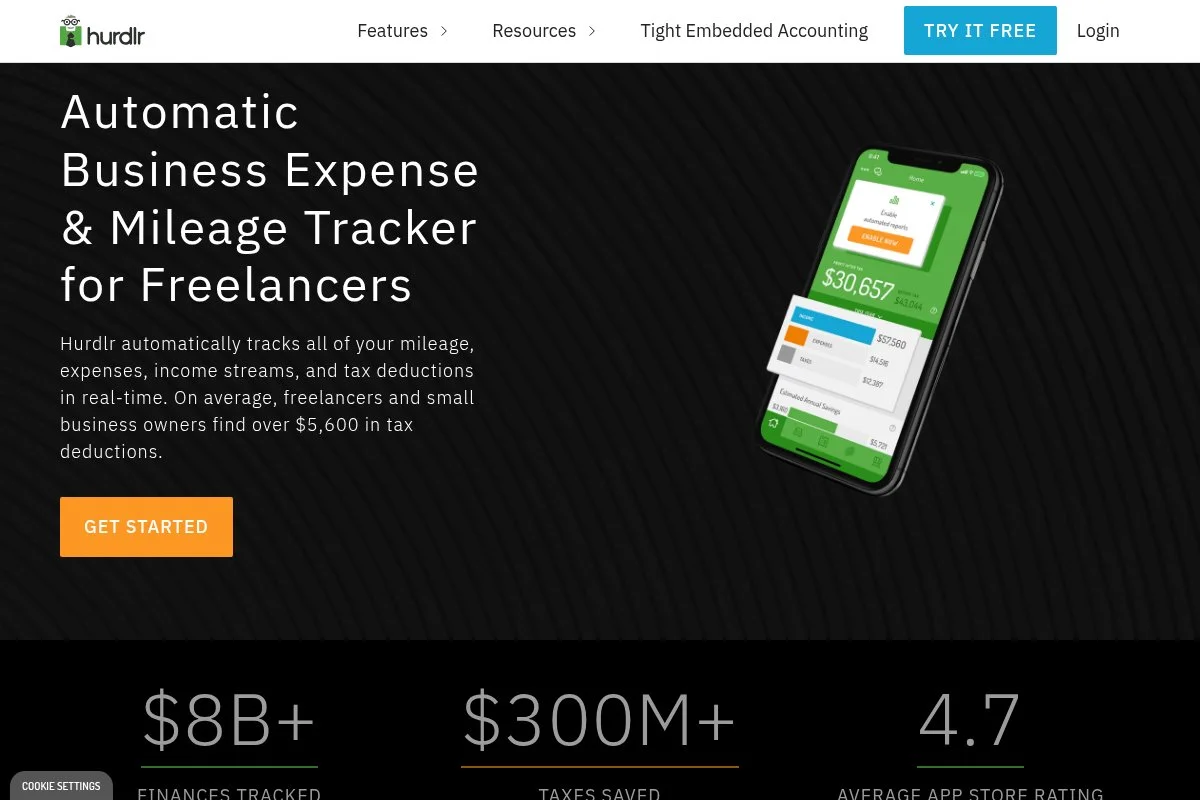
Hurdlr is a mileage, expense, and tax estimate app built for self-employed folks and gig workers. It’s been around for years and is known for fast, accurate real-time tax estimates. You can start free to track basics. Paid tiers unlock automatic expense rules, income tracking, and estimated tax calculations that adjust as money flows in. The mobile-first design makes daily use simple.
Over time, Hurdlr has added better bank connections and cleaner reporting. That makes quarterly planning easier because your estimate updates without spreadsheets. On higher plans, you get features like detailed profit reports, quarterly tax projections, and invoicing. It’s not a full accounting system, but it covers the pieces most solo workers need without bloat.
I often recommend Hurdlr to new freelancers. The live tax estimate is the hook—seeing your quarterly number update as you log income helps you avoid surprises. Support resources are straightforward, and the team publishes helpful guides on deductions. That content makes the learning curve much easier.
How Hurdlr Works and Key Features
Hurdlr uses a clean, mobile-first interface with simple toggles and rules. You can swipe to categorize expenses, track mileage with GPS, and connect banks to pull transactions. Templates aren’t a factor here, but customization comes from rules and categories. Advanced users can export data, connect multiple accounts, and integrate income sources.
Analytics include profit, tax estimates, and deduction summaries. You can see how your estimate shifts daily or monthly, then plan your quarterly payment accordingly. Automation handles mileage tracking and expense rules, reducing manual work. Extras include basic invoicing and reports you can send to a CPA. Support is via email and help docs. In my experience, the docs cover most setup questions. One user told me, “I finally stopped guessing my quarterlies,” which sums it up well.
Overall, Hurdlr is beginner-friendly and robust enough for full-time freelancers who want live estimates without a big subscription fee.
Who Hurdlr Is For
Great for rideshare drivers, delivery couriers, freelancers, consultants, Etsy sellers, and coaches. It shines for real-time tax estimates and mileage tracking. If you need double-entry accounting or payroll, you’ll need another tool. It’s very beginner-friendly and fine for non-technical users.
Hurdlr Pricing
Hurdlr uses a freemium model with tiered features. Pricing scales with automation and reporting depth, not with your income or the number of contacts.
- Free: $0/month, manual tracking, basic mileage, limited reports
- Premium: $10/month, automatic expense rules, bank connections, real-time tax estimates
- Pro: $20/month, advanced reports, invoicing, priority features
Compared with full accounting suites, Hurdlr is a budget pick. The Premium tier is a strong value for quarterly planning. Annual billing often lowers the monthly rate. Since pricing isn’t tied to revenue or subscribers, costs remain predictable as you grow.
Pros and Cons of Hurdlr
- Pros: Free plan; accurate live tax estimates; strong mileage tracking.
- Pros: Low-cost compared to accounting suites; easy mobile app.
- Cons: Not a full double-entry accounting system; limited integrations.
- Cons: Invoicing is basic; no built-in state payment portal.
If you want fast tax estimates and clean tracking on a budget, Hurdlr is an easy win. If you need full bookkeeping, look elsewhere.
Hurdlr Reviews
Public ratings vary by app store and version, and counts change often. Overall sentiment skews positive for mileage tracking and tax estimates; long-term users praise the value.
3. Keeper
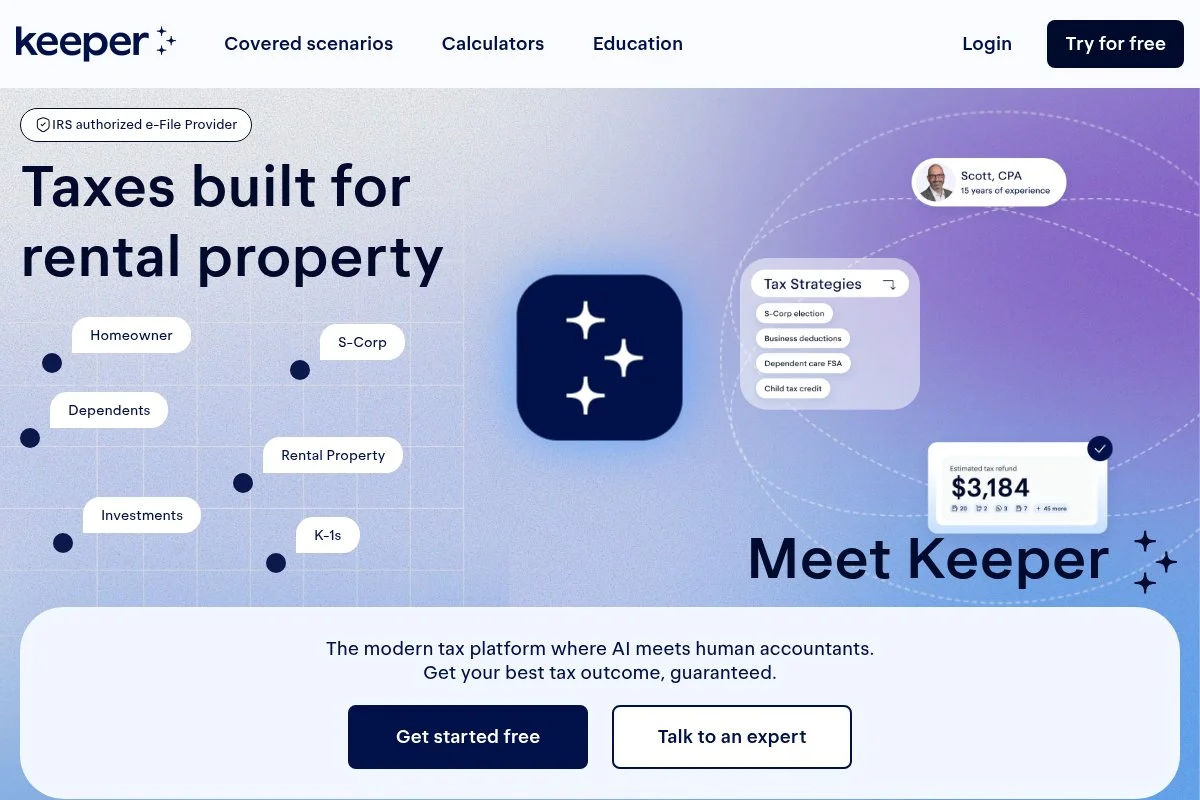
Keeper is a write-off and tax help app built for 1099 workers. It flags deductions, keeps receipts, and helps with quarterly estimates so you don’t overpay. Getting started is quick. Connect your bank, set your work categories, and Keeper starts tagging likely deductions. You can accept or reject with a tap, which speeds up monthly cleanup.
Over the last few years, Keeper has expanded guides, templates, and filing support. That support helps new freelancers feel less lost at quarter-end and during April filing. On higher tiers, you get more hands-on help and filing options. While it’s not a full accounting system, the deduction-first approach can significantly reduce your quarterly estimates.
I recommend Keeper to creative pros who hate spreadsheets. The app’s suggestions catch many everyday write-offs that people miss. I also like the tone of their guides. They explain rules in plain English, which helps when you’re moving fast between projects.
How Keeper Works and Key Features
Keeper’s interface focuses on smart suggestions. It pulls in transactions, highlights likely write-offs, and lets you approve in bulk. Receipt uploads keep records tight. There aren’t “templates” in the design sense, but you can customize categories and add notes. Advanced users can export spreadsheets for a CPA or upload 1099s.
Analytics show spending by category and tax implications. The app nudges you with quarterly reminders and can help you set a payment target. Automation includes recurring rules and smart tagging. Keeper also publishes deduction lists and scenarios to help you make better calls.
Support is available through chat and help articles. In my experience, responses are practical and quick. Overall, Keeper balances ease for beginners with useful automation. It’s a solid choice if you want to save on taxes without living in a spreadsheet.
Who Is the Keeper For
Ideal for designers, photographers, writers, influencers, coaches, and gig workers who want hands-off deduction tracking. It helps with quarterly targets and year-end prep. If you need inventory accounting or payroll, pair it with another tool. It’s beginner-friendly and fine for non-technical users.
Keeper Pricing
Keeper uses a subscription model. Pricing depends on features and support, not your income level. A starter tier is billed annually to keep costs low.
- Starter: $16/month (billed annually), deduction tracking, bank connections, receipt storage
- Higher tiers: Monthly options available, add more support and filing help
Compared with hiring a bookkeeper, Keeper is inexpensive. The value comes from catching write-offs you might miss and keeping your quarterly targets realistic. Annual billing reduces cost; monthly is available if you want flexibility.
Pros and Cons of Keeper
- Pros: Low-cost deduction tracking; quick setup; helpful guidance.
- Pros: Can lower quarterly estimates by surfacing write-offs.
- Cons: Not full accounting; some auto-categorization needs review.
- Cons: Best experience on an annual plan; monthly costs more.
Choose Keeper if you want savings through deductions and simple quarterly targets. If you need full books, add a bookkeeping app too.
Keeper Reviews
Keeper has public feedback across app stores and review sites, with many users praising deduction finds and support. Exact scores and counts shift often; overall sentiment trends positive.
4. IRS Direct Pay
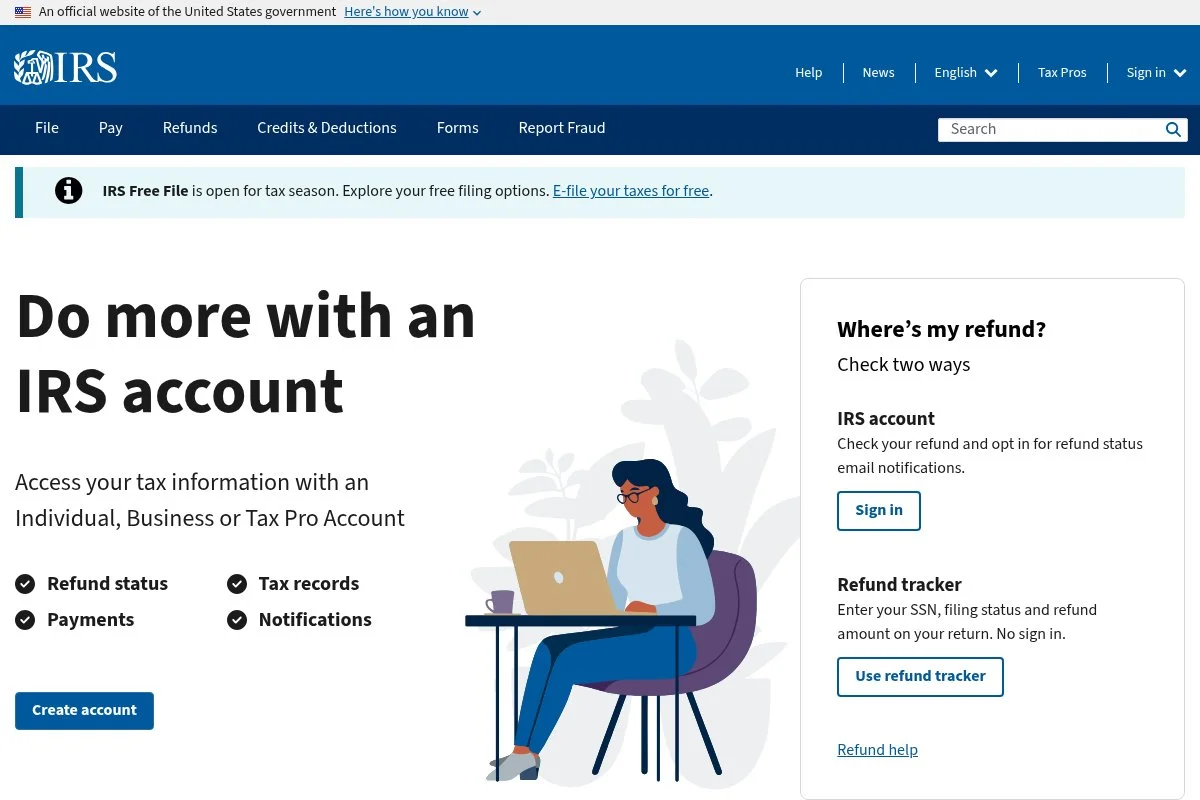
IRS Direct Pay lets individuals send federal tax payments directly from a checking or savings account. No fees, no account required, and it works well for quick one-off quarterly payments. It’s straightforward: select “Estimated Tax,” verify your identity, enter your bank info, and submit. You get an instant confirmation number you can save for records.
Direct Pay remains reliable on heavy-traffic days. It’s less flexible than EFTPS because you can’t schedule future payments, but it’s great in a pinch. There are no premium features. Its advantage is speed and $0 cost. If you only need to pay today and you don’t want to set up EFTPS, this is perfect.
I use Direct Pay when I need a same-day fix. It’s also handy for catch-up payments if I adjust my estimate late in the quarter. I like that the IRS emails a receipt when you enter your address. That small touch helps keep records tidy.
How IRS Direct Pay Works and Key Features
Direct Pay is a simple web form. You pick your reason for payment, confirm identity with prior return info, and enter bank details. No templates or saved profiles unless you opt in later. No advanced integrations exist; this is a direct IRS portal. You can print or save your confirmation, which is enough for most bookkeeping needs.
There’s no analytics or automation. The closest thing to automation is using your browser’s saved profile for faster checkout next time. Support is through IRS help pages and phone lines. Availability is solid, but there’s no chat. Overall, Direct Pay is beginner-friendly and ideal for quick, fee-free payments when you don’t need scheduling.
Who IRS Direct Pay Is For
Best for freelancers, side-hustlers, and new LLC owners who want a one-time, free federal payment. It’s perfect for last-minute quarterlies. If you want to schedule all four payments at once, use EFTPS instead. It’s simple enough for anyone to use.
IRS Direct Pay Pricing
Direct Pay is free. There are no accounts, subscriptions, or per-transaction costs.
- Individual Payments: $0 per payment, includes confirmation receipt
Compared with card processors, Direct Pay saves you fees. The tradeoff is no scheduling and minimal record features.
Pros and Cons of IRS Direct Pay
- Pros: Free; fast one-off payments; simple process.
- Pros: Instant confirmation; no setup needed.
- Cons: No scheduling; individual-only, not for business EFTPS features.
- Cons: Basic interface; no analytics or history dashboard.
Choose Direct Pay if you need to pay today with no fees. If planning is your goal, set up EFTPS.
IRS Direct Pay Reviews
No third-party review listings apply here. Accountants frequently recommend Direct Pay as a fee-free option for same-day individual payments.
5. Pay1040
Pay1040 is one of two IRS-authorized payment processors for federal card payments in 2026 (alongside ACI Payments). It lets you pay federal taxes with a debit or credit card, which is useful if you want card rewards or need to float cash for a few weeks. Getting started is easy, with no account required. Enter your tax type (1040ES for quarterlies), your card, and submit. You’ll see the fee before you confirm.
Fees change, but Pay1040 currently offers a low flat debit fee and a credit card rate of around 1.75% per transaction. That makes it the lower-cost card option among the two remaining IRS-authorized processors. There are no premium features. The draw here is flexibility: pay with points-earning cards, keep cash in the bank a bit longer, and get a receipt instantly.
I keep Pay1040 bookmarked for tight cash months. If the rewards and float outweigh the fee, it’s worth it. If not, I use EFTPS or Direct Pay. Receipts are clear, and you can email them to your records or accountant right away.
How Pay1040 Works and Key Features
The interface is a straightforward checkout. Pick your form and period, enter your SSN or EIN, then pay with a card. The system displays fees and confirms the charge plus the tax payment. There are no templates, integrations, or analytics. However, the confirmation includes details your bookkeeping system needs.
Automation is limited to email receipts and optional saved details. No recurring schedules; this is a one-time payment flow. Support is handled by the processor with FAQs and phone help. It’s serviceable when you need assistance with a charge or refund question. Overall, Pay1040 is simple and effective for card payments, especially when points or float help your cash flow.
Who Pay1040 Is For
Great for consultants, agency owners, and side hustlers who want to pay quarterly with a card. It’s helpful when you need float or rewards. If you don’t care about points and want no fees, use EFTPS or Direct Pay instead. It’s beginner-friendly.
Pay1040 Pricing
Pay1040 charges transaction fees rather than subscriptions. Debit card fees are a flat fee per payment, while credit card fees are a percentage of the payment amount.
- Debit Card: Low flat fee per transaction, confirmation receipt included
- Credit Card: 1.75% per transaction (with a $2.50 minimum), displayed before checkout
Compared with ACI Payments (the other authorized processor, at 1.85%), Pay1040 is usually the lower-cost card option. There’s no annual plan; you pay only when you use it. For large payments, weigh fees against rewards and cash needs.
Pros and Cons of Pay1040
- Pros: Pay with credit or debit; competitive fees; instant receipt.
- Pros: Helpful for cash flow and rewards strategies.
- Cons: Fees apply; no scheduling; minimal reporting.
- Cons: Credit card limits can restrict very large payments.
If you value points or timing cash, Pay1040 is a smart tool. If you want zero fees and scheduling, stick with EFTPS.
Pay1040 Reviews
There isn’t a strong presence on software review sites. Most feedback comes from tax forums and accountants who watch fee comparisons and use it when card payments make sense.
What Is the Best Quarterly Tax Payment Tool Right Now?
My top picks right now are EFTPS for reliable, free federal payments; Hurdlr for low-cost, real-time tax estimates; and Pay1040 if you need to pay by card for rewards or short-term float.
EFTPS is my number one. I use it personally, and this isn’t sponsored. I found it years ago after paying an underpayment penalty and deciding I’d never miss a deadline again. Scheduling all four quarterly payments in one sitting sold me. The confirmations and $0 cost sealed the deal.
From a cost and scaling view, EFTPS is unbeatable. Whether you owe $200 or $20,000, fees stay at zero. Many “all-in-one” apps add monthly costs you don’t need just to make payments. EFTPS keeps that money in your pocket.
Hurdlr is my close second because it nails estimates. If your income is uneven, the live estimate keeps you on target, which prevents both overpaying and penalties. The Premium tier is affordable and pairs perfectly with EFTPS.
Its unique strength is day-to-day visibility. You see the tax impact of every project, every delivery, every coaching session. If I didn’t already have a separate bookkeeping setup, I might use Hurdlr as my main tracker.
Pay1040 is my third choice for a specific need: card payments. If a bonus or 0% APR card aligns with a quarter, the fee can be worth it. If you don’t need rewards or float, stick with free options.
I often use more than one tool. Hurdlr (or Keeper) for estimates and deductions, plus EFTPS for scheduled payments, covers almost everything without heavy software.
Choosing among the top three can be tough because they solve different parts of the problem. I stick with EFTPS first because it guarantees on-time, fee-free payments, then add a tracker for better estimates.
I hope this helped you cut through the noise. Pay on time, pay the right amount, and get back to work you enjoy. You’ve got this.
Frequently Asked Questions
Q: Do I need both a tracking app and a payment tool for quarterlies?
I recommend it. Use a tracker like Hurdlr or Keeper to estimate, then pay through EFTPS or IRS Direct Pay. That combo keeps costs down and reduces mistakes.
Q: Is it safe to pay estimated taxes with a credit card?
Yes, if you use an IRS-authorized processor like Pay1040. You’ll pay a fee, so weigh rewards or cash-flow benefits against that cost before you proceed.
Q: How do I handle state quarterly tax payments?
States have their own portals and rules. I track income and deductions in my app, then pay through the state’s site. Many states let you schedule payments, similar to EFTPS.
Q: What if my income changes after I schedule EFTPS payments?
You can edit or cancel scheduled EFTPS payments before the cutoff. I check estimates a week before each due date and adjust amounts based on current income.


