


I remember opening my first Health Savings Account as a new freelancer. I wanted tax savings, investment growth, and a debit card that just worked—without junk fees. I was trying to keep premiums lean by using a high-deductible plan and stashing extra cash for future care. The promise was simple: triple tax advantages and long-term control.
But the search got messy fast. Banks hid fee tables, investment options were locked behind balance thresholds, and “no fee” often had asterisks the size of a billboard. What pushed me to keep digging were conversations with other solo founders. The ones doing this well picked custodians with transparent pricing, low friction, and easy investing, not glossy perks.
I learned you don’t need fancy bells and whistles. You need low fees, a solid mobile app, and investment choices you understand. That’s it. This guide breaks down the HSA providers I trust for self-employed workers. It’s grounded in research, reader feedback, and my own account experience—not sponsorships.
Comparison of 6 Popular Low-Cost HSA Plans in 2026 with Pricing and Recommended Use Cases
What is an HSA plan?
A Health Savings Account (HSA) is a tax-advantaged account tied to a high-deductible health plan. It lets you save, spend, and invest pre-tax dollars for qualified medical expenses. There’s a simple rule I live by: keep more of what you earn. HSAs do that through triple tax benefits—deductible contributions, tax-deferred growth, and tax-free withdrawals for qualified care.
Think of it this way: paying a $1,000 expense from an HSA can “cost” $1,000. Paying it post-tax might take $1,250–$1,400 in pre-tax income, depending on your bracket. That spread adds up fast. At their core, HSAs exist so individuals and families on eligible plans can contribute cash, invest those funds, and later pay for medical costs—now or years from now—while minimizing taxes.
Self-employed people often pair HSAs with: low-cost index investing, a budgeting app, a solid telehealth benefit, and a document locker for receipts. Not all HSA providers are equal on fees, investment access, or tools, so it pays to compare closely.
How to Choose the Best HSA Plan
Picking an HSA as a solo worker can feel overwhelming. There are banks, fintech apps, and broker-linked accounts—each with different fee tables and rules.
Here are some questions you should ask when looking for an HSA:
- Is there a true $0 monthly fee for individuals?
- How easy is it to contribute, reimburse, and invest from the app?
- Can the account scale from cash-only to full investing?
- What happens to costs as balances grow or you start investing?
- Does it cover debit card, ACH, bill pay, and receipt storage well?
- What investment choices and expense ratios can I access?
- How hard is it to transfer or roll over if I switch later?
- Are support hours, FDIC coverage, and security controls strong?
- Any minimum balance or threshold to unlock investing?
6 Popular HSA Plans in 2026
Here are my top picks for the best HSA plans:
- Fidelity HSA
- Lively HSA
- Starship HSA
- The HSA Authority (Old National Bank)
- First American Bank HSA
- DCU (Digital Federal Credit Union) HSA
Let’s see which one is right for you.
1. Fidelity HSA

Fidelity’s HSA is a self-directed account built for investors who want control and low costs. Fidelity is one of the largest brokerages in the U.S., with decades of experience and widely used index funds. There’s no monthly maintenance fee, and opening online takes minutes. The core experience is strong: debit card for spending, simple contributions, and quick transfers to your HSA brokerage for investing.
In recent years, Fidelity expanded zero-expense-ratio index funds and commission-free online trades for U.S. stocks and ETFs. That change made long-term HSA investing simpler and cheaper for DIY users. On higher balances, the standout perk is full brokerage access. You can pick broad market index funds, target-date funds, or ETFs with low expense ratios. That level of flexibility beats many bank-only HSAs.
I use Fidelity for my personal HSA. The combination of $0 fees, quick transfers, and low-cost index choices won me over early—and it’s held up over time. Support and documentation are solid, and the mobile app is reliable. I also like the clean receipt upload flow when I choose to reimburse later.
How Fidelity HSA works and key features
Fidelity’s interface feels like the rest of its brokerage: clean menus, a simple activity feed, and direct access to transfer cash into investment positions. There’s no gimmick—just familiar tools. You won’t find “templates,” but you do get full investment selection with customization through funds, ETFs, or individual securities. Advanced users can place limit orders, set alerts, and link outside accounts.
Analytics focus on balances, contributions, and gains. You can run tax transaction reports and download year-end forms. Automation is available through recurring contributions and dividend reinvestment. Beyond the basics, you get a debit card, check writing (upon request), bill pay, and secure document storage. Support is available by phone and chat, with strong help articles.
Overall, it strikes a great balance: beginner-friendly to start, and powerful when you’re ready to invest more actively.
Who Fidelity HSA is best for
Best for self-employed investors, index fund fans, FIRE-minded savers, consultants, and freelancers who plan to invest most of their balance. If you want auto-pilot budgeting or hand-holding, a simpler mobile-first app might suit you better. No special technical skill is required, but comfort with brokerage tools helps.
Fidelity HSA pricing
Fidelity’s pricing model is straightforward: no monthly account fee for individual HSAs and no minimum to open. Trading U.S. stocks and ETFs online is typically commission-free, and you choose investments based on expense ratios you’re comfortable with.
- HSA Core: $0/month, no account minimum, debit card, contributions, reimbursements
- HSA Brokerage: $0/month, full investment selection, expense ratios vary by fund
Compared with bank HSAs that charge maintenance fees or have high investment thresholds, Fidelity offers excellent value, especially for long-term investors. Annual billing isn’t a factor here; the savings come from $0 account fees and low-cost access to funds.
Fidelity HSA pros and cons
Pros
- $0 monthly fee for individuals
- Full brokerage investing and low-cost index funds
- Reliable app with easy reimbursements
- Scales well as balances grow
Cons
- Interface is broker-like, not gamified
- Choice overload if you want simple guardrails
If you want control and low costs, pick Fidelity. If you want a more guided, app-first feel, look at Starship or Lively.
Fidelity HSA reviews
Third-party HSA-specific reviews are limited; Fidelity’s broader brokerage earns strong marks on consumer sites. HSA users often praise the $0 fee structure and investment flexibility.
2. Lively HSA
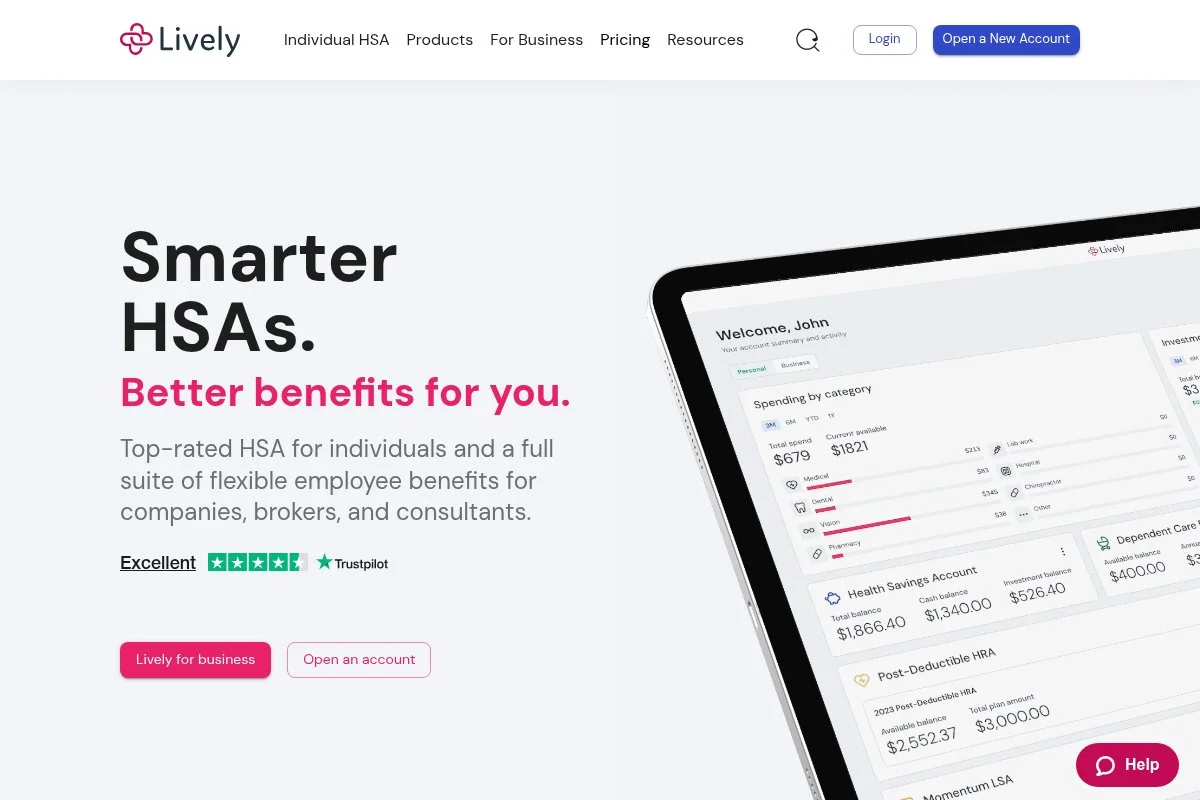
Lively is a modern HSA platform built to make the basics easy for individuals and small businesses. It’s an independent provider known for clean design and a friendly setup flow. Individuals can quickly open a $0 monthly fee account online. The dashboard focuses on three things: contributions, debit card spending, and investing through a linked brokerage account.
Lively has continued to refine tools for receipt storage, reimbursement timing, and employer features for those who later hire contractors or staff. That keeps it useful as your solo practice grows. On higher tiers, Lively supports richer admin controls and integrations that help if you turn your solo shop into a small team and want payroll tie-ins later.
I like Lively for readers who want a polished app with simple guidance. Clear prompts, strong FAQs, and a calm interface reduce mistakes during your first year. Support has been responsive in my experience, and the onboarding emails are helpful without being pushy.
How Lively HSA works and key features
Lively’s interface is minimal and intuitive. You’ll see contribution status, recent card activity, and a clear path to invest via its brokerage partner. The focus is on a stress-free flow for core tasks. There are strong receipt attachments and notes for transactions. Reporting includes contributions, distributions, and year-end tax forms. You can schedule recurring transfers and set savings goals.
Lively includes card controls, ACH transfers, and optional employer admin tools. Support is available via email and phone, with a well-organized help center. The overall experience is beginner-friendly yet flexible enough to grow with you.
Who Lively HSA is best for
Best for freelancers, new sole proprietors, gig workers, independent consultants, and creators who want a smooth start. It shines for organized reimbursements and gentle guidance. If you demand full-featured trading right inside the app, you may prefer a direct brokerage HSA. No technical skill needed.
Lively HSA pricing
Lively’s individual HSA has no monthly maintenance fee and includes standard banking features. Investing is available through a linked brokerage, where investment fund costs apply based on your selections.
- Individual HSA: $0/month, debit card, receipt storage, reimbursements
- Employer HSA (for small teams): Pricing varies by employer setup, includes admin tools
For solo users, Lively lands on the low-cost end. The main costs you’ll see are tied to the investments you choose, not monthly account charges.
Lively HSA pros and cons
Pros
- $0 monthly fee for individuals
- Sleek app with great receipt storage
- Easy reimbursements and recurring transfers
Cons
- Investing happens through a partner, not native trading
- Fewer “power user” knobs than a full brokerage
If you want simple, clean, and low-cost, Lively is an easy win. If you crave deep trading tools, Fidelity might fit better.
Lively HSA reviews
Public, independent reviews for Lively are smaller than those for big banks, but user feedback often highlights the no-fee structure and straightforward app. Expect positive comments on setup and support.
3. Starship HSA
Starship is a mobile-first HSA with a streamlined card experience and simple investing. It’s designed for people who want to tap-to-pay for care and automate savings without digging through menus. Setup is fast, and the core is crystal clear: add money, spend with the Visa debit card, and toggle investing when you’re ready. The UI focuses on goals and clarity.
Starship has improved investing access and automation over time, including the ability to set investment thresholds and keep a target cash cushion. That’s handy if income is lumpy. Premium-style perks show up in auto-sweep rules and an investing option with a straightforward advisory fee on invested assets. You won’t get stock-picking tools, but you do get a calm system built for busy schedules.
I recommend Starship to readers who want a light, guided approach. It makes the “set it and forget it” style less scary for your first HSA. Customer updates are frequent, and in-app prompts make tax forms and receipts easier to manage.
How Starship HSA works and key features
Starship’s interface is simple: balances, recent transactions, and a clear path to turn on investing. It’s less about dashboards and more about nudges that help you build a habit. You can set auto-contributions and investment sweeps above a cash floor. Reporting covers contributions, distributions, and exportable tax forms. The transaction feed supports receipt attachment and notes.
There’s no advanced trading terminal; investing follows a managed approach with transparent advisory costs on invested balances. Support channels include help articles and email, with app guidance throughout. The experience is very beginner-friendly and stays efficient as you grow.
Who Starship HSA is best for
Great for freelancers, delivery and gig workers, consultants on the move, and creators who prefer mobile banking. It excels at automated saving and clean spending tools. If you want individual stock or ETF selection, you’ll be happier with a brokerage HSA. No technical skill required.
Starship HSA pricing
Starship offers a $0 monthly fee for core banking features. Investing is optional and carries a transparent advisory fee on invested assets.
- Core HSA: $0/month, debit card, cash management, receipt tracking
- Invest: Advisory fee applies to invested balances (commonly 0.25% AUM range)
For many self-employed users, this is low-cost and predictable. Your main decision is whether to use the managed investing option or keep funds in cash.
Starship HSA pros and cons
Pros
- $0 monthly fee for core features
- Excellent mobile app experience
- Easy automation for savings and investing sweeps
Cons
- No self-directed stock or ETF trading
- Limited web dashboard compared to brokerages
Choose Starship if you want a calm, low-effort HSA. Choose Fidelity if you want deep investment control.
Starship HSA reviews
Independent review counts are modest but trending positive for ease of use and clear pricing. Users often mention the smooth mobile card experience and simple auto-investing.
4. The HSA Authority (Old National Bank)

The HSA Authority, offered by Old National Bank, is a long-standing HSA provider known for straightforward accounts and classic banking tools like checks and detailed statements. Opening an account online is simple. The platform focuses on practical needs: debit card access, ACH transfers, optional checks, and clear tax reporting for contributions and distributions.
Recent improvements have centered on digital account access and documentation, helping solo users keep better records without extra software. For larger balances, investment access is available through a linked brokerage relationship. It’s not a day-trader setup, but it gives you long-term options beyond cash. I like The HSA Authority for readers who prefer a bank-forward feel and want paper checks on hand for certain providers. Support is personable, and the materials are clear, which helps during tax time.
How The HSA Authority works and key features
The dashboard emphasizes balances, contributions, and distribution history. You can link external bank accounts, issue reimbursements, and attach receipts to transactions for easy recordkeeping. Investment access is provided through a partnered brokerage. You choose funds that fit your risk level and time horizon. Reporting includes year-end forms and downloadable statements.
Automation covers recurring contributions. Additional tools, such as bill pay and checks, support real-world medical payments. Help resources and phone support are available during business hours.
It’s a steady, bank-first experience that still offers investment paths when you’re ready.
Who The HSA Authority is best for
Ideal for independent professionals, solo attorneys, contractors, and anyone who wants a traditional bank setup with no monthly fee and optional checks. If you need native, advanced trading, a brokerage HSA will be a better fit. Beginner-friendly with a classic banking approach.
The HSA Authority pricing
The HSA Authority offers an individual plan with no monthly maintenance fee for core banking features. Investment access is available through a partner, with fund costs determined by your selections.
- Individual HSA: $0/month, debit card, ACH, optional checks
- Investment Option: $0/month from the bank; fund expenses apply via partner
Value is strong for cash users and long-term savers. You avoid monthly bank fees and only pay what your chosen funds cost.
The HSA Authority pros and cons
Pros
- No monthly maintenance fee
- Checks and detailed statements available
- Investment access via partner brokerage
Cons
- Investing is partner-based, not native
- Interface is more “bank” than modern app
If you favor a classic bank experience at a low cost, this is a good fit. Power traders should consider Fidelity.
The HSA Authority reviews
Public aggregator reviews are limited. User feedback I’ve seen calls out clear statements and low fees. Expect a steady, no-frills approach.
5. First American Bank HSA

First American Bank offers a traditional HSA with the comforts of a full-service bank. It’s a solid option if you value in-branch access and a straightforward account. Online opening is available, and the basic tools are covered: debit card, ACH transfers, and clear reporting. The experience is familiar if you’ve used standard checking accounts.
Over time, the bank has added stronger online features and documentation, which helps during quarterly tax planning and year-end filing. For investing, you can access options through a partner relationship. It’s built more for set-and-forget investing than active trading. I find it best for folks who want a bank they can call and, if local, visit. That peace of mind matters for many self-employed readers. The mobile app does the basics cleanly and supports receipt notes for reimbursements.
How First American Bank HSA works and key features
The interface focuses on balances, contributions, and transaction history. You can set up recurring transfers, store receipts, and export tax forms for your records.
Customization is limited to practical settings. Advanced trading isn’t the goal; instead, you’ll use partner investing for diversified funds. Support is available by phone and at branches in the bank’s footprint.
Overall, it’s a familiar, low-stress banking experience with the HSA features you need.
Who First American Bank HSA is best for
Best for self-employed people who like traditional banks, local support, and simple tools: contractors, consultants, real estate pros, and therapists. It’s not built for frequent traders. Beginner-friendly and stable.
First American Bank HSA pricing
First American Bank’s HSA is positioned with no monthly maintenance fee on the basic account. Investment access is available via partner options where fund expenses apply.
- Basic HSA: $0/month, debit card, checks available, online banking
- Investment Option: $0/month from the bank; fund expenses apply via partner
Compared to providers that charge monthly fees, this is budget-friendly for cash users. Costs mainly come from the investments you choose.
First American Bank HSA pros and cons
Pros
- No monthly fee on basic account
- Branch access for those who prefer in-person help
- Solid documentation for taxes
Cons
- Investing is through a partner, not native
- Interface is more utilitarian than modern apps
Choose this if you want a classic bank with $0 monthly fees. Active investors should consider Fidelity.
First American Bank HSA reviews
Aggregated, HSA-specific reviews are limited. Customer feedback tends to highlight the ease of basic banking tasks and dependable support.
6. DCU (Digital Federal Credit Union) HSA
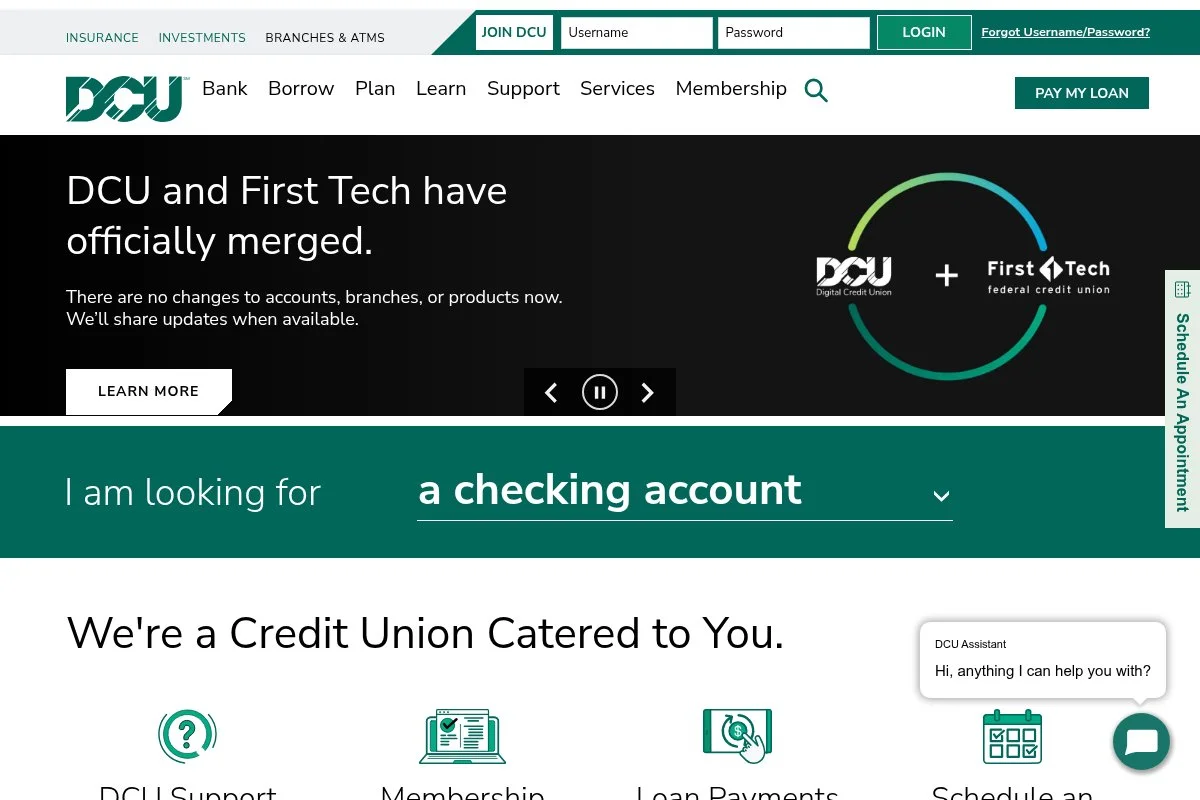
DCU is a member-focused credit union that offers HSAs with straightforward terms and no monthly maintenance fee. It’s a good pick if you prefer credit unions over big banks. Account opening is simple once you’re eligible for membership. The HSA includes a debit card, online banking, and the essentials for tracking contributions and distributions.
DCU has continued to upgrade digital banking tools, which helps you manage records during tax time. Investment options are more limited than a full brokerage, so think of DCU as a strong cash-first home for your HSA. I recommend DCU for readers who value credit union service, clear terms, and basic features at low cost. Phone support and online resources are reliable for everyday needs.
How DCU HSA works and key features
DCU’s interface mirrors standard credit union banking: balance views, transaction history, and simple ACH transfers. You can attach notes, keep receipts, and export statements for records. Templates aren’t relevant here, but automation for recurring contributions is available. Investment capabilities are basic; the focus is on a dependable spending and saving flow.
Support includes phone, secure messaging, and a knowledge base. For many solo users, that’s enough to stay organized. Overall, it’s beginner-friendly and great for cash-heavy users.
Who DCU HSA is best for
Good for freelancers who prefer credit unions, conservative savers, caregivers managing frequent expenses, and anyone who spends from their HSA often. If you want deep investing tools, a brokerage-based HSA is better. Very beginner-friendly.
DCU HSA pricing
DCU positions its HSA with no monthly maintenance fee for members. You get standard banking features without surprise charges on the core account.
- HSA Checking: $0/month, debit card, online banking, statements
For low-cost cash management, DCU is hard to beat. If you later want to invest more deeply, you can transfer or roll over to a brokerage HSA.
DCU HSA pros and cons
Pros
- No monthly maintenance fee
- Credit union service and support
- Simple, dependable cash management
Cons
- Limited investing access compared to brokerages
- Membership eligibility required
Pick DCU if you want a low-cost, cash-first HSA. Move to a brokerage HSA if investing becomes a priority.
DCU HSA reviews
HSA-specific public reviews are sparse. General DCU member feedback is positive on service and fees, which aligns with my experience using credit unions for basic accounts.
What is the Best HSA plan right now?
My top picks this year are Fidelity HSA, Lively HSA, and Starship HSA. Each is low-cost, but they shine for different styles: full control (Fidelity), guided simplicity (Lively), and mobile-first automation (Starship).
I personally use Fidelity. This is not sponsored. I found it while helping readers compare $0-fee options. What impressed me first was the clean path from cash to investing without hoops or balance thresholds. The deal-maker was low-cost index access paired with no monthly fee.
From a scaling standpoint, Fidelity’s economics are hard to beat. Many banks charge a monthly fee or gate investing behind balance rules. With Fidelity, I pay $0 to keep the account and choose low-expense index funds. Over a decade, avoiding even $3–$5 per month plus higher fund costs can add up to thousands.
Lively is my runner-up because it nails the onboarding and daily workflow for first-time HSA users. The app makes reimbursements, receipt storage, and recurring contributions feel easy. If you want a calm, guided setup that still stays low-cost, Lively is fantastic—especially for your first year.
Its specific strength is organization. The way Lively nudges you to stay tidy with receipts and timing helps during tax season. If I didn’t care about deeper investment control, I could happily use Lively.
Starship is my third recommendation for folks who live on their phone and want automation. The $0 monthly core, plus optional investing and a clear advisory fee, keeps costs predictable. If your priority is simple saving and spending with a great card experience, Starship is a smart start.
For what it’s worth, I keep more than one HSA on my radar. I use Fidelity for investing and regularly test Lively and Starship to stay current for readers.
Choosing among these three is a close call. I stuck with Fidelity because I value full brokerage access and $0 account fees, but if I were starting today and felt nervous about investing, I’d pick Lively or Starship without hesitation.
I hope this helped you zero in on the right fit. Here’s to lower taxes, smarter health spending, and a little more breathing room this year.
Frequently Asked Questions
Q: Do I need a high-deductible health plan to open an HSA?
Yes. You must be covered by an HSA-eligible high-deductible health plan and have no other disqualifying coverage. Your insurer or plan documents will clearly state HSA eligibility.
Q: What are the HSA contribution limits for 2026?
Contribution limits update annually by the IRS. I always check IRS.gov before funding. Plan ahead and automate monthly transfers so you hit your target by year-end.
Q: Can I invest my HSA funds right away?
Usually, yes—if your provider supports investing without thresholds. Fidelity allows easy investing. Some banks require a minimum cash balance before investing unlocks.
Q: What happens if I spend HSA money on non-qualified expenses?
If you’re under 65, you’ll owe income tax plus a penalty on that amount. After 65, the penalty goes away, but taxes still apply if it’s not a qualified medical expense. Keep good receipts.
Photo by Sasun Bughdaryan: Unsplash


