

I learned order management the hard way—by overselling the last five units I didn’t have. My DMs lit up, and I spent a weekend issuing apologies instead of packing boxes.
Since then, I’ve helped dozens of solo sellers and tiny teams pick tools that save time and keep customers happy. I’m always hunting for simple systems with clear pricing and no fluff.
My goal was straightforward: pull orders from every channel, track stock in one place, print labels fast, and keep customers updated. I wanted that without hiring an ops team.
What pushed me to go deeper was watching small shops I admire—like Etsy sellers who moved onto Shopify—scale because their back office ran clean. They automated the boring parts and focused on product and service.
Finding the right setup took longer than I expected. Many tools are built for big companies with big budgets. Others look cheap but balloon in cost as orders grow.
Here’s what I learned: you don’t need enterprise software. You need a reliable hub that fits your channels, helps avoid stock-outs, and grows without surprise fees.
This guide narrows the field to affordable, proven options for self-employed sellers. It’s based on my experience and our team’s research—not sponsorships. I’ll explain the tradeoffs and tell you what I picked.
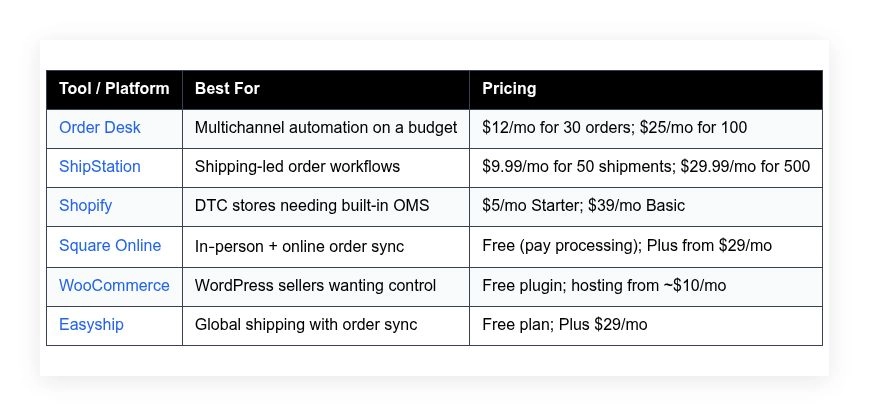
First, a quick comparison so you can spot the right fit at a glance:
Comparison of 6 best order management systems in 2026 with pricing and recommended use cases
Scroll for my take on each option, where they shine, and which one I personally use. I’ll also point out the strongest free or low-cost starter picks.
What is an order management system?
An order management system (OMS) is software that captures, tracks, and routes customer orders across your sales channels. Its job is to keep inventory accurate and fulfillment on time.
There’s a simple rule I live by: what gets measured gets managed. An OMS gives you that measurement—pulling orders into one place, reducing errors, and keeping you in control.
Think of it this way: answering order questions by hand might work for 20 orders a month. With an OMS, 200 orders can feel like 40 because confirmations, labels, and stock updates run automatically.
At its core, an OMS helps solo sellers and small teams ingest orders from marketplaces and websites, update inventory, route fulfillment to carriers or partners, and send customers clear status updates for fewer support tickets.
Many pair an OMS with shipping tools, accounting software, barcoding apps, and help desk platforms. Together, these reduce manual work and keep data consistent across your stack.
Not every OMS fits every store, though. The right choice depends on channels, volume, and how much automation you need.
How to choose the best order management system
Picking an OMS can feel overwhelming. There are dozens of options, and many sound similar until you look closely at pricing limits and integrations.
I wrote this to help you match a tool to your real workflow, not an idealized one. If you sell on one channel today and plan two more this year, that matters.
Most lists you’ll find are written by the companies themselves or by media sites with sponsored placements. I am not sponsored by any platform on this list. This is my straight, honest view based on experience and research.
Here are some questions you should ask when looking for an OMS:
- How generous is the free tier or starter plan, and what are the order limits?
- Can I connect my core channels fast and process an order end‑to‑end without confusion?
- Will this scale to more channels, SKUs, and warehouses as I grow?
- How does pricing change as my monthly order count increases?
- Does it support the features I need now—partial shipments, returns, bundles, or kits?
- Are analytics clear on order status, fulfillment time, and error rates?
- If I need to leave, can I export orders, customers, and rules easily?
- What uptime, security, and quality controls are in place?
- Any technical must-haves for my setup, like API access or EDI?
That’s a lot, I know. The good news is my picks are ranked with these in mind, so you won’t need to figure it out alone.
Okay, enough of me rambling, let’s get into the list.
6 best order management systems in 2026
Here are my top picks for the best order management systems:
- Order Desk
- ShipStation
- Shopify
- Square Online
- WooCommerce
- Easyship
Let’s see which one is right for you.
1. Order Desk
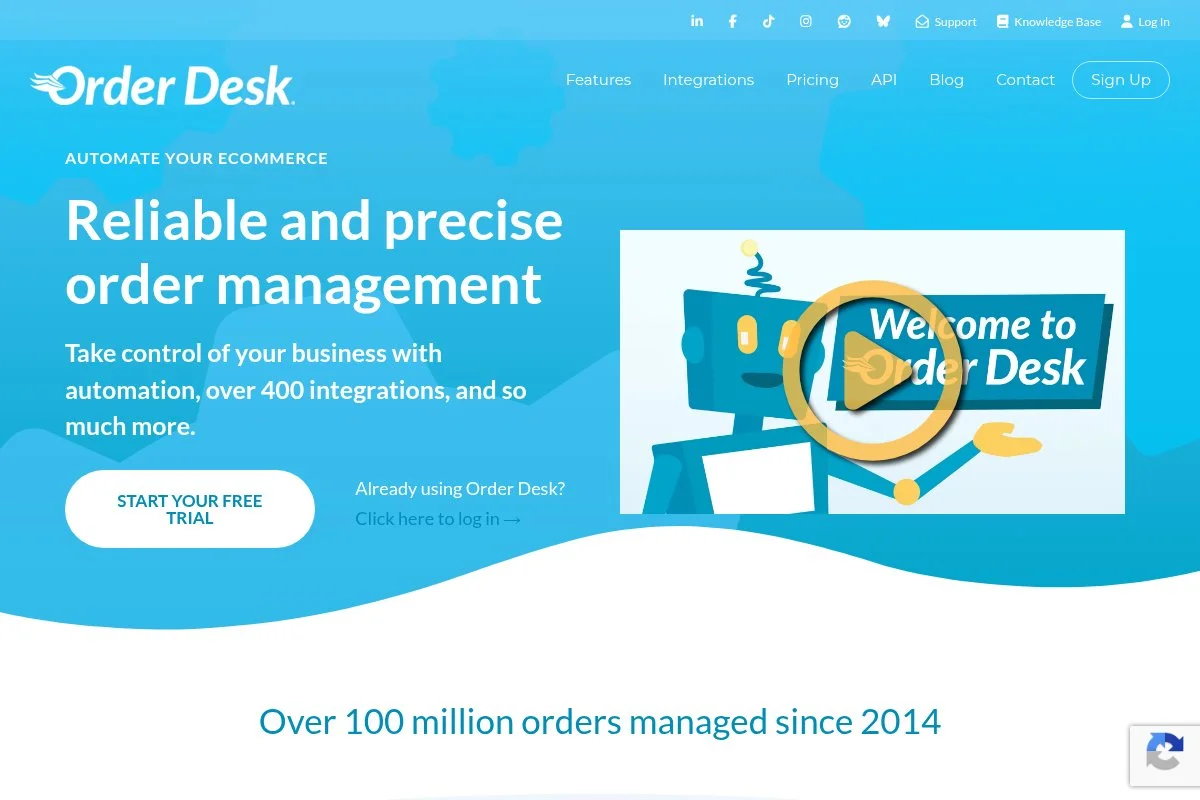
Order Desk is a flexible, rules-based OMS designed for multichannel sellers and print‑on‑demand workflows. It’s been around for years and is respected for reliability and a deep integration library.
You can start at a low monthly cost and connect channels like Shopify, Etsy, Amazon, and WooCommerce in minutes. The workflow centers on rules and folders, so orders move through steps automatically. Daily tasks include routing orders, tagging, sending to 3PLs, and pushing tracking back to channels.
Recent updates have focused on new integrations and smoother print provider connections, which open doors for POD brands and dropshippers. More granular rule triggers also make complex routing easier without custom code.
Advanced features include custom scripting, bundling and kitting logic, multi-warehouse routing, and strong 3PL connections. These are the kinds of tools usually locked behind expensive enterprise plans elsewhere.
I’ve used Order Desk on side projects where I needed reliable automation and clear audit trails. The rules engine sold me—it’s powerful but still readable after a long day.
Support articles are practical and well written. I also appreciate their straightforward, no-hype approach to features and pricing.
How Order Desk works and key features
Order Desk uses a clean, folder-based interface. You organize orders by status and apply rules that trigger on import, schedule, or manual actions. Templates for emails, packing slips, and file exports are easy to customize with variables.
Advanced users can add custom code snippets and use the API for system-to-system workflows. Integrations cover marketplaces, carts, shipping tools, and many print providers. Reporting focuses on order flow, error handling, and fulfillment timelines rather than vanity stats.
Automation is the heart of the product: auto-routing, tagging, splitting, bundling, and pushing orders to 3PLs. Extras include webhooks, CSV import/export, and vendor routing. Support is responsive and knowledgeable, with a helpful knowledge base.
“The rules engine is the secret sauce—we replaced manual steps with triggers,” said one small POD brand owner I spoke with.
Overall, it’s friendly to beginners who can start simple, yet powerful enough for complex, multichannel setups.
Who Order Desk is for
Best for Etsy and Shopify sellers adding Amazon or eBay, print‑on‑demand brands, dropshippers, and solo shops working with 3PLs. It shines for auto-routing, bundling, and vendor handoffs. If you only need a basic shipping label tool, another pick may be cheaper. No heavy technical skill is required, but rules reward a little tinkering.
Order Desk pricing
Order Desk prices by monthly order volume, with access to the same core platform across tiers. There’s no long-term contract, and you can upgrade as you grow.
- Starter: $12/month, 30 orders, includes core rules, integrations, and basic support
- Bronze: $25/month, 100 orders, adds higher limits and more room to automate
- Silver: $60/month, 500 orders, includes advanced workflows and API access
- Gold: $100/month, 1,000 orders, for growing shops adding channels/3PLs
- Higher tiers: priced by volume, with increased order caps and support
Value is strong versus traditional OMS tools. Costs scale predictably with orders, and you’re not forced into enterprise pricing early. Annual billing can lower the effective rate if you prefer stability.
Order Desk pros and cons
Pros: Powerful rules engine; wide integration list; fair pricing for small volumes; clear audit trails.
Cons: Interface feels utilitarian; reports are practical but not flashy; setup takes a bit of trial and error.
If you want affordable multichannel automation without vendor lock‑in, this is an excellent pick. If you only ship a few orders a week and want pure label printing, ShipStation may be simpler.
Order Desk reviews
Public ratings on review sites vary by date and region. You’ll find current feedback on platforms like G2 and Capterra; I suggest reading the latest reviews to match your use case.
2. ShipStation
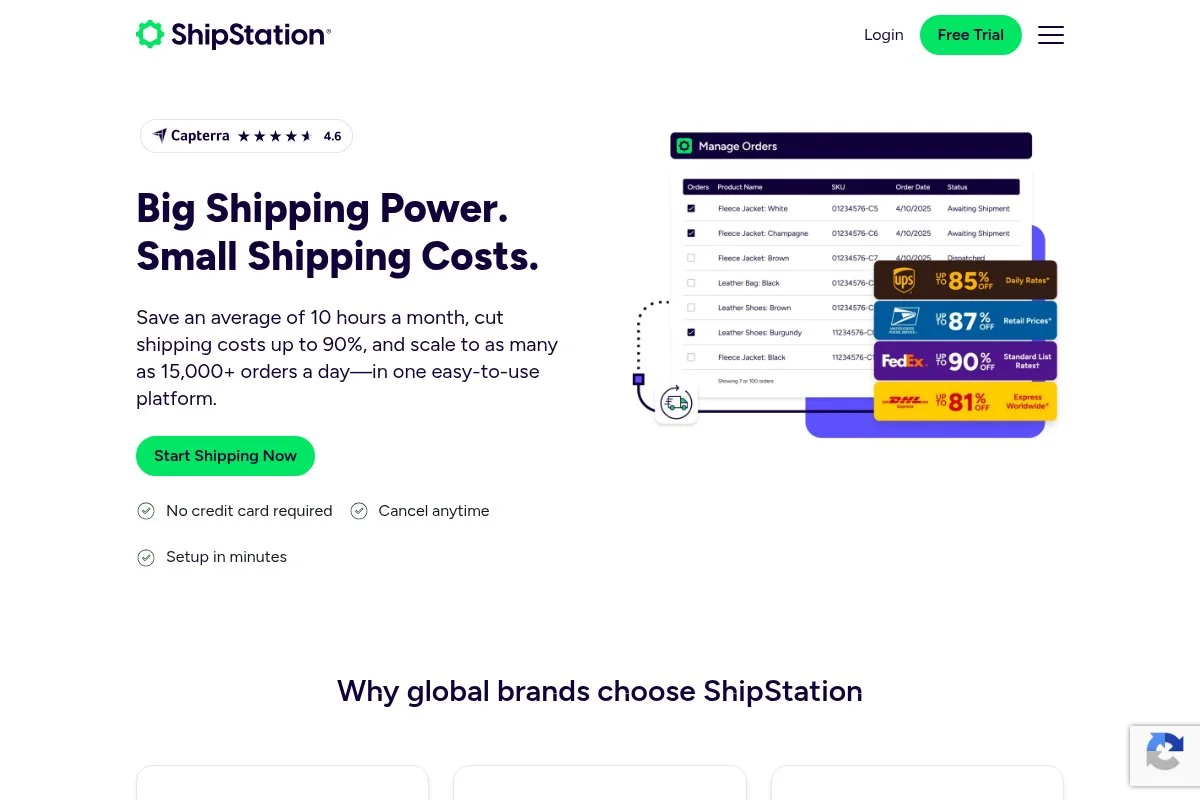
ShipStation is a shipping-first platform with strong order import and workflow tools. It’s widely used by small ecommerce brands and integrates with major carriers and storefronts.
You can start on a low-cost plan and connect Shopify, Etsy, eBay, Amazon, WooCommerce, and more. The grid-based interface is fast for batching, tagging, and label creation. Daily wins include automated service mapping, rate shopping, and printing pick lists.
Recent improvements have centered on automation rules, branding options for tracking pages, and carrier rate updates. These help reduce clicks and make customer updates feel more polished.
Higher plans unlock more users, custom packing slips, branded returns, and deeper automation. For solo sellers growing into 1–2 staff members, those extras reduce handoffs and mistakes.
I’ve deployed ShipStation for simple DTC setups where shipping speed matters. It’s hard to beat for fast label workflows and channel sync at this price point.
Support is solid, and there’s good documentation for carrier quirks and marketplace mapping.
How ShipStation works and key features
ShipStation uses a data grid interface, with bulk actions for tagging, splitting, and batching. Templates cover packing slips, emails, and branded tracking pages. Advanced users can set up automation rules, service mappings, and product presets to reduce clicks.
It connects to major carts and marketplaces, plus carriers like USPS, UPS, FedEx, and regional options. Analytics include order volume, ship times, cost per label, and carrier breakdowns. Automations handle tagging, routing, and post-ship notifications. There are extras like inventory alerts, returns portals, and simple pick lists.
Support includes chat and email on lower tiers, with faster channels on higher plans. For new sellers, the learning curve is short—especially if you stick to one or two channels.
Overall, it’s beginner-friendly for shipping operations and still flexible enough for growing teams.
Who ShipStation is for
Best for solo DTC stores, marketplace sellers with light inventory needs, and anyone who wants fast label printing plus order sync. Ideal for Shopify, Etsy, eBay, and Amazon mixes. If you need deep inventory features like kitting or multi-warehouse planning, look at Order Desk or WooCommerce add‑ons. No technical skill required.
ShipStation pricing
ShipStation prices by monthly shipment count and feature tier. There’s a low-cost entry plan, and you can scale up as order volume grows.
- Starter: $9.99/month, 50 shipments, includes 1 user and core automation
- Bronze: $29.99/month, 500 shipments, adds more features and users
- Silver: $59.99/month, 1,500 shipments, includes advanced automation and branding
- Higher tiers: increased shipment caps, more users, and enhanced support
Compared to many OMS tools, ShipStation is affordable for shipping-led workflows. Annual billing promos are sometimes available. If you mainly need inventory control, you may pair it with a separate inventory app.
ShipStation pros and cons
Pros: Fast label workflows; broad channel and carrier support; strong value at low volumes; helpful automation rules.
Cons: Inventory tools are basic; shipment caps can push upgrades; interface gets busy with many SKUs.
Choose it for shipping speed and clean order sync. Skip it if your top need is advanced inventory logic or manufacturing.
ShipStation reviews
ShipStation has extensive third‑party feedback on sites like G2 and Capterra. Ratings trend positive for shipping and automation, with some critiques on advanced inventory depth.
3. Shopify

Shopify is an all‑in‑one ecommerce platform with a capable built‑in OMS. It powers millions of stores and has a deep ecosystem of apps, partners, and themes.
Getting started is simple. Plans begin with a low‑cost Starter for link‑in‑bio selling and social DMs, then Basic for full storefronts. The admin is clean, with orders, products, inventory, and fulfillment flows in one place.
Recent improvements include better combined listings for variants, Shop Pay upgrades, and stronger returns and exchanges flows via apps. Shopify’s focus on checkout speed and conversion helps squeeze more value from every visit.
Advanced features on higher plans include more staff roles, detailed reports, and internationalization tools. With the app store, you can add preorders, subscriptions, and warehouse rules without coding.
I’ve run client stores on Shopify because it balances power and ease of use. The order timeline and activity log make support conversations faster and clearer.
Documentation is thorough, and the partner network means you can find help quickly if you get stuck.
How Shopify works and key features
Shopify’s dashboard is straightforward. Add products, connect sales channels, and manage orders from a single queue. Templates and themes get you live fast, and the checkout is highly optimized.
For advanced needs, you can use custom liquid sections, scripts/apps, and APIs. Analytics include sales, orders, channel breakdowns, conversion rates, and fulfillment timing. Automations handle order tagging, routing to locations, and emails. Extras include POS, discounting, gift cards, and draft orders.
Support is available 24/7 with strong help docs and community forums. For a solo seller, the learning curve is gentle, and the payoff is quick.
Overall, it’s a balanced choice that covers storefront and OMS needs in one place.
Who Shopify is for
Best for DTC sellers who want a storefront plus dependable order handling in one subscription. Great for print‑on‑demand, small apparel, beauty, and home goods. If you sell heavy on marketplaces and only need shipping, Shopify might be more than you need. Beginner‑friendly, with room to grow.
Shopify pricing
Shopify uses tiered pricing by feature depth and staff roles. There’s a low‑cost Starter for social selling and full plans for complete stores. Trials and $1 first‑month promos are common.
- Starter: $5/month, link‑in‑bio and social checkout, simple order handling
- Basic: $39/month, full online store, inventory, shipping discounts
- Shopify: $105/month, advanced reports, more staff roles
- Advanced: $399/month, advanced reporting and international tools
For solo sellers, Starter or Basic is plenty. Compared to stitching tools together, the value is strong, especially with built‑in checkout and payment options. Annual billing lowers the monthly rate.
Shopify pros and cons
Pros: Clean built‑in OMS; best‑in‑class checkout; app ecosystem; fast to launch; good value on Basic.
Cons: App costs can add up; some advanced features require plugins; marketplaces still need connectors.
Choose Shopify if you want a storefront and OMS together. If you only need shipping for marketplace orders, ShipStation or Order Desk might be leaner.
Shopify reviews
Shopify has extensive reviews across G2, Capterra, and more. Feedback is strong for ease of use and checkout, with occasional critiques on app costs for specialized features.
4. Square Online

Square Online ties together in‑person and online orders, which is perfect if you sell at markets or a pop‑up and also online. It plugs right into Square POS and inventory.
You can start free, pay only processing, and upgrade for advanced site features. The editor is simple, and the order dashboard shows pickup, delivery, and shipping options. Daily tasks include batching orders, printing slips, and managing local pickup windows.
Square has improved menus, modifiers, and fulfillment settings, which helps food, coffee, and local retail sellers. Better syncing with POS reduces stock surprises after busy weekends.
Paid tiers add custom domains, advanced site features, and lower transaction costs. If you run in-person events, the integration across devices is the real win.
I’ve recommended Square to craft sellers and food businesses who want a single source of truth for orders and inventory without complex setup.
Support is easy to reach, and the help center has clear step‑by‑step guides.
How Square Online works and key features
Square Online offers a simple site builder and an order dashboard that syncs with Square POS. Templates are minimal but clean, with quick customization. You can manage shipping, local delivery, and pickup with time windows.
Advanced users can add scripts via custom code blocks and use integrations for marketing and accounting. Analytics cover sales, channel performance, and fulfillment times. Automations include order notifications, pickup reminders, and inventory sync with POS.
Extras include invoices, subscriptions (via add‑ons), and gift cards. Support is available by chat and phone on paid plans. The overall experience is beginner‑friendly with a clear path to grow.
Who Square Online is for
Best for market vendors, pop‑ups, local retail, and food businesses needing pickup or delivery. Great if you already use Square POS. If you’re heavy on Amazon/eBay marketplaces, choose Order Desk or ShipStation instead. Very friendly for non‑technical users.
Square Online pricing
Square Online has a free tier with processing fees and paid plans for added features and custom domains. Pricing is straightforward and ties into the broader Square ecosystem.
- Free: $0/month, basic site, online ordering, pay processing fees
- Plus: from $29/month, custom domain, site features, lower fees
- Premium: from $79/month, advanced features and best processing rates
For sellers who do both in‑person and online orders, value is strong. Annual billing can reduce monthly rates. If you only sell online, Shopify Basic may offer more design flexibility.
Square Online pros and cons
Pros: Starts free; tight POS sync; great for pickup/delivery; simple setup.
Cons: Templates are limited; marketplace selling needs connectors; less flexible than WordPress setups.
Use Square Online if your business runs on POS plus online orders. If you want deep theme control, WooCommerce or Shopify will suit you better.
Square Online reviews
Square’s online tools receive steady feedback on review sites. Users praise the POS integration and value of the free plan, with requests for more theme options.
5. WooCommerce
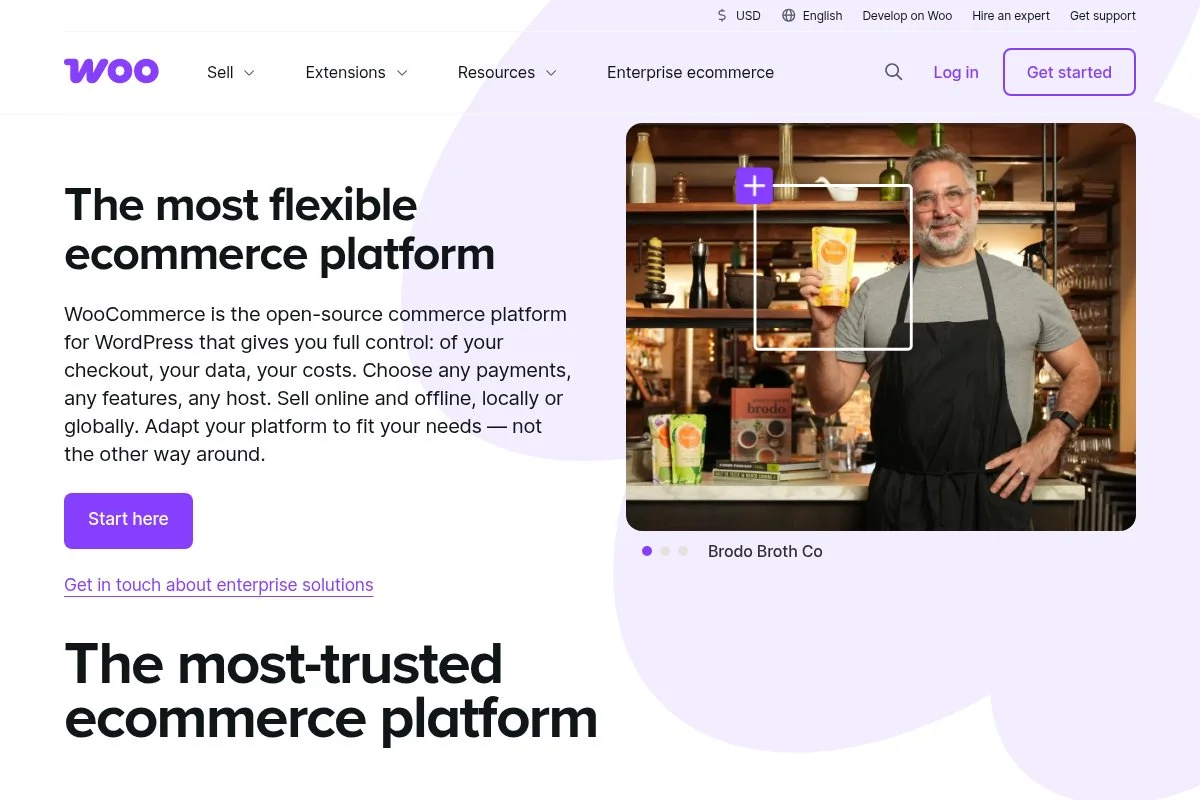
WooCommerce is a free WordPress plugin that turns your site into a store with order and inventory tools. It’s owned by Automattic, the company behind WordPress.com.
Starting costs are low—just hosting and a domain—and setup wizards handle products, payments, and shipping. The backend order screen is clear, and you can edit statuses, refunds, and notes quickly.
Recent efforts have improved checkout blocks, performance, and native shipping/Tax options. That means faster pages and fewer must‑have plugins than before.
Advanced features come from extensions: subscriptions, bookings, wholesale pricing, and marketplace sync. You can customize everything, which is a huge draw for sellers who like control.
I’ve built WooCommerce stores for sellers who want ownership and flexibility. The tradeoff is maintenance—you’ll handle updates and hosting choices.
The community is massive, so you’ll find guides and help for almost any need.
How WooCommerce works and key features
WooCommerce runs inside WordPress with a familiar dashboard. You manage products, orders, coupons, and reports from menus you’ll recognize. Themes and blocks let you design without code, and developers can add custom PHP or hooks.
Analytics include orders, revenue, products, and customer cohorts with filters. Automations can be added with plugins like AutomateWoo or flows in your host. Extras include WooPayments, WooShipping, and tax tools. Support depends on your host and chosen extensions, plus WooCommerce’s docs and forums.
It’s a great fit if you want full control and don’t mind light maintenance or hiring help for tricky parts.
Who WooCommerce is for
Best for WordPress users, content-led stores, and sellers who want full site control. Great for bundles, subscriptions, and unique checkout flows via extensions. If you dislike site maintenance or want a hosted service, Shopify or Square will be simpler. Some technical comfort helps, but you can learn as you go.
WooCommerce pricing
WooCommerce itself is free. Your costs are hosting, a domain, and any paid extensions you choose. This makes pricing flexible and potentially very affordable.
- Plugin: $0/month, full store features, orders, products, and reports
- Hosting: from ~$10/month for basic managed WordPress hosting
- Extensions: many free; premium add‑ons typically $49–$199/year each
Compared to hosted platforms, WooCommerce can be cheaper long‑term if you manage your stack well. If you need lots of premium plugins, costs may approach Shopify’s tiers. Annual plugin licenses often include support and updates.
WooCommerce pros and cons
Pros: Free core; full site ownership; huge extension library; flexible order handling.
Cons: Maintenance and updates; hosting choices affect speed; setup can sprawl with many plugins.
Pick WooCommerce if control matters and you’re okay managing a site. Choose a hosted option if you want fewer moving parts.
WooCommerce reviews
WooCommerce is widely discussed on WordPress forums, GitHub, and review platforms. Feedback is positive on flexibility, with reminders that hosting quality makes or breaks performance.
6. Easyship
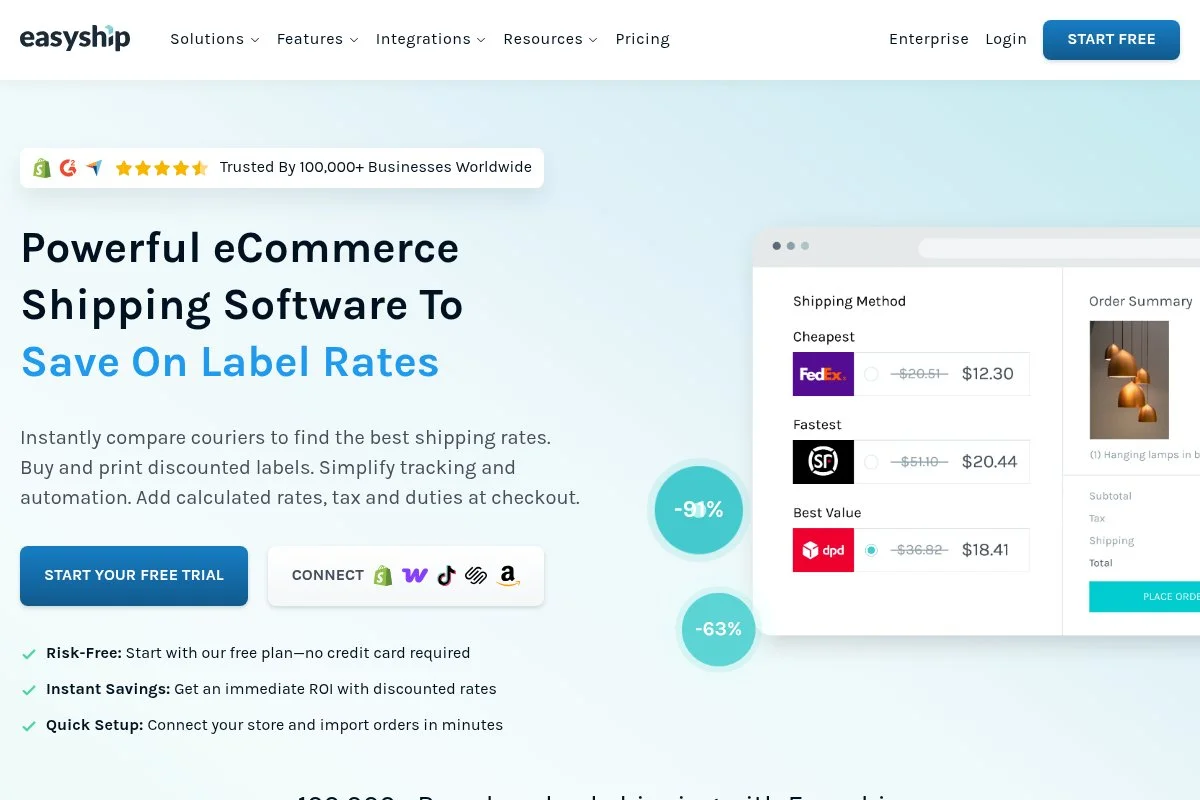
Easyship is a shipping and logistics platform with order sync across major carts and marketplaces. It’s focused on global shipping, duties, and taxes with upfront landed cost estimates.
You can start for free and connect Shopify, WooCommerce, Amazon, and eBay. The dashboard helps rate‑shop, print labels, and auto‑send tracking. Day to day, you’ll sync orders, compare carrier options, and handle customs paperwork more confidently.
Recent enhancements improved duty/tax calculations and cross‑border documentation, which reduce delivery surprises. That’s key for international customers.
Higher tiers add more users, automation rules, and advanced support. If you ship worldwide or do crowdfunding preorders, the carrier mix is a plus.
I like Easyship for side projects testing international demand. The clear landed costs help keep margins in check.
Help docs are clear, and onboarding guides for customs forms are especially helpful.
How Easyship works and key features
Easyship’s interface centers on an orders grid and label workflow. Templates handle documents and customs forms, with branding for tracking emails. Integrations cover major carts and marketplaces, plus regional carriers.
Advanced users can tap the API and set rules for service mapping, packaging, and insurance. Analytics include shipping cost trends, delivery times, and country performance. Automations schedule pickups, apply duties/taxes, and update customers automatically.
Extras include returns tools and address validation. Support is available through help docs, chat, and higher‑tier channels. It’s approachable for beginners, especially for cross‑border shipping.
Who Easyship is for
Best for sellers testing or scaling international orders, crowdfunding projects, and Shopify/WooCommerce stores adding overseas markets. Great for landed cost estimates and customs prep. If you don’t ship abroad, ShipStation may be simpler. Beginner‑friendly with clear guides.
Easyship pricing
Easyship offers a free plan and paid tiers with more features and support. Pricing is based on feature access and shipment volume.
- Free: $0/month, basic order sync, label creation, and tracking
- Plus: $29/month, added automation, higher limits, more support
- Premier: $69/month, advanced rules, users, and carrier options
- Enterprise: custom pricing, negotiated rates, dedicated support
For cross‑border shipping, value is strong compared to stitching many services together. If you mainly ship domestic, compare costs with ShipStation’s entry tiers. Annual billing discounts may be available.
Easyship pros and cons
Pros: Clear landed cost tools; global carrier options; free plan to start; good customs guidance.
Cons: Focus leans to shipping over deep inventory; some advanced features need higher tiers; interface can feel busy at first.
Pick Easyship if global shipping is your priority. If you want deep multichannel rules, try Order Desk.
Easyship reviews
Review sites show steady, mixed‑to‑positive feedback focused on international shipping strengths. Check G2 and Capterra for the latest ratings specific to your region and carriers.
What is the best order management system right now?
My top picks right now are Order Desk for flexible multichannel automation, ShipStation for shipping‑led workflows, and Shopify for sellers who want storefront and OMS in one place.
Order Desk is my number one because I personally use it for side projects and small multichannel setups. This isn’t sponsored. I found it while helping a print‑on‑demand brand that needed hands‑off routing. The moment I set up a few rules and saw orders move to vendors, tag correctly, and sync tracking back, I was sold. The balance of power and price is strong.
Value-wise, Order Desk scales better than many “small business” OMS tools. Instead of jumping to hundreds per month just to add channels, you increase gradually with order volume. For many solo sellers under 500 orders monthly, you can stay near the $60 range while automating real work.
ShipStation is my second choice when the main bottleneck is shipping speed. It shines for batching, rate shopping, and labels. Recent tweaks to automation and branded tracking make it even cleaner. If your catalog is simple and you live in the labels screen, ShipStation is a joy.
Its strength is focus. It does shipping very well and brings in orders from the places most of us sell. If my store were mostly domestic with one storefront, I might have picked it first.
Shopify is my third pick because so many solo sellers want a storefront and order handling without juggling hosts or plugins. The Starter plan covers social checkout, and Basic is enough for a full store. If you don’t need marketplace automation, Shopify can be your all‑in‑one.
On my own projects, I often pair tools: Shopify for the storefront and either Order Desk or ShipStation behind the scenes, depending on how complex the routing is. It’s a practical combo and not hard to maintain.
Choosing between these is a real decision. I stuck with Order Desk for the rules engine and predictable pricing as channels grew. But if labels are your world, ShipStation could save more time day to day. And if you need a storefront first, Shopify makes life easier.
I hope this helped you find a setup that fits your store and your budget. Happy selling—and fewer late‑night “where’s my order?” messages.
Frequently Asked Questions
Q: What is the cheapest way to manage orders across multiple channels?
For multichannel on a budget, I like Order Desk’s lower tiers or pairing Shopify Basic with a light connector. If you only need shipping, ShipStation’s starter plan is very cost‑effective.
Q: Do I need a separate OMS if I’m on Shopify?
Not always. Shopify handles orders well for many solo sellers. If you add marketplaces, complex routing, or 3PL handoffs, adding Order Desk or a similar tool can save time and reduce errors.
Q: Which option is best if I sell in person and online?
Square Online is my go‑to for in‑person plus online because it syncs with Square POS. If you want a richer online store, Shopify with POS is a strong alternative.
Q: How do I avoid surprise costs as I grow?
Watch order or shipment caps and app add‑ons. Map your next 6–12 months of volume and channels, then check upgrade paths. I also recommend annual billing only after a couple months of real‑world use.


