

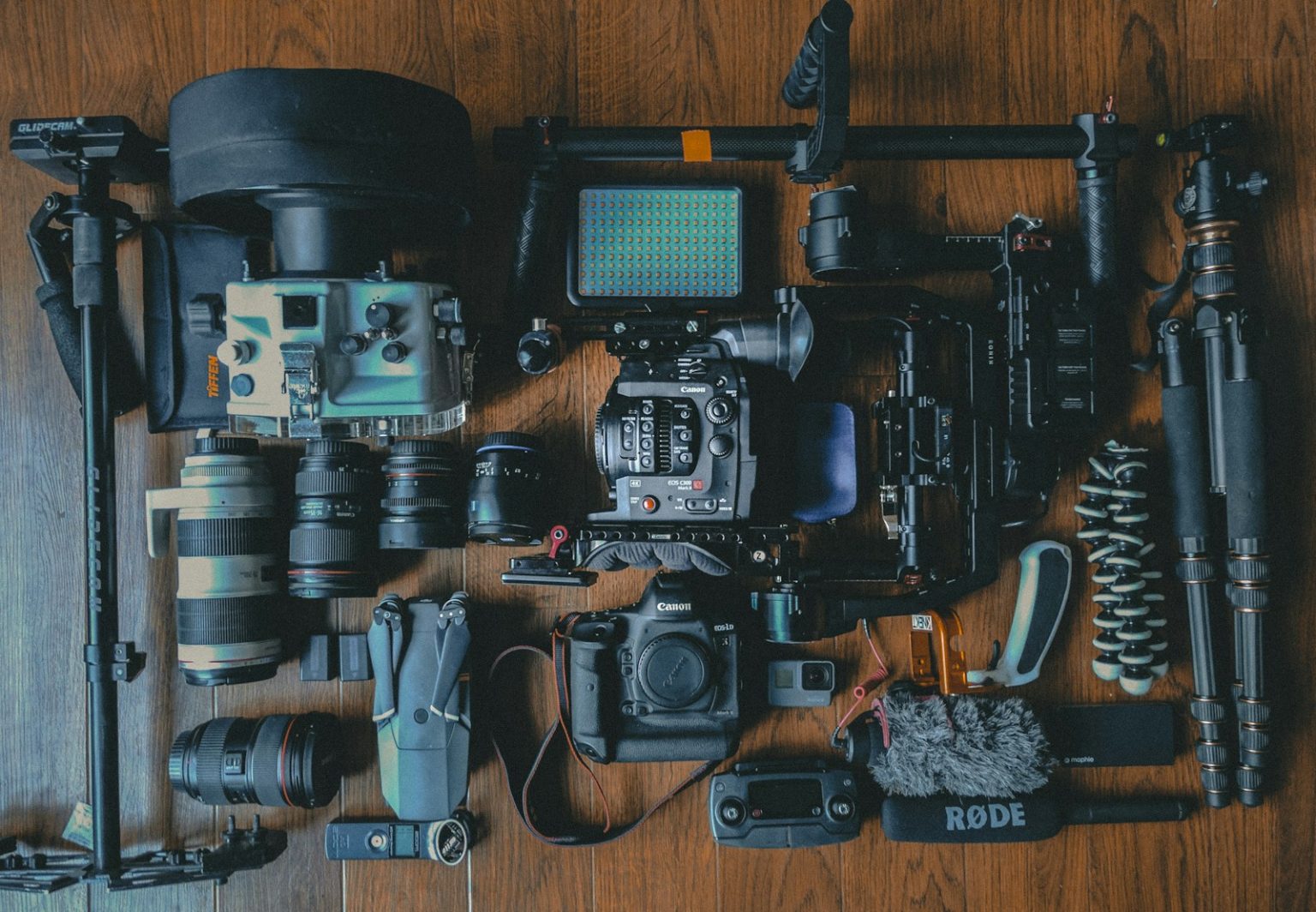
Picking the right video equipment for content creators is the single biggest shortcut to looking professional on camera. After helping dozens of solo founders, freelancers, and creators build their first studios from a kitchen table, I can tell you what actually moves the needle. It is not the most expensive camera. It is a balanced stack of camera, lighting, and audio, set up so you can hit record without fussing with a dozen cables.
In my experience, new creators lose the most time to two mistakes. They either overspend on a flagship camera and skip audio, or they buy a pile of gadgets that never get used. The fix is to think in three pillars and buy one quality piece per pillar before upgrading any single piece twice.
Why video equipment for content creators matters more in 2026
Short-form video now drives meaningful discovery on YouTube, Instagram, TikTok, and LinkedIn. Viewers make a stay-or-scroll decision in the first two seconds, and most of that decision is visual clarity and clean sound. If you are serious about building an audience as a solo operator, the right video equipment for content creators is part of your business infrastructure, not a hobby expense.
The good news is that the gear gap has shrunk. A mid-range mirrorless camera, a single softbox, and a USB mic will out-punch a pro setup from 2018. You do not need a full studio to look credible on camera.
The three pillars of a creator video setup
Every creator I have coached starts by thinking in three categories. Get one solid tool in each before touching anything else.
- Camera. Captures the image. Quality here buys you sharpness, color accuracy, and depth of field.
- Lighting. Shapes the image. Good lighting makes a $600 camera look like a $3,000 camera.
- Audio. Keeps people watching. Studies on viewer retention show poor audio drives faster drop-off than poor video.
Treat each pillar as a single investment, not a list. If you find yourself buying a second microphone before you have a real light, you are spending on the wrong pillar.
Camera choices for content creators
Your camera decision comes down to workflow, not specs. I ask three questions before recommending a camera to any creator.
- Are you filming in one spot or traveling?
- Do you want to live-stream, upload, or both?
- Will you edit color and depth of field, or do you want shoot-and-post?
For most solo creators, a recent-generation smartphone is the smartest starter camera. It shoots in 4K, handles autofocus well, and you already own it. Add a tripod and you have a viable A-camera for the first year.
If you want to step up, the Sony ZV-E10 II, Fujifilm X-S20, and Canon EOS R50 are the three bodies I recommend most often in 2026. They hit the sweet spot of autofocus reliability, clean audio input, and creator-friendly features like face tracking and vertical shooting. Pair the body with a 16-50mm kit lens or a fast 23mm prime, and you are set for at least two years.
Lighting fundamentals that actually change the shot
Lighting is the most underrated part of any video equipment for content creators setup. In my first year on camera, I upgraded my camera twice before I fixed my lighting. It was a waste of money. A $120 bi-color softbox did more for my on-screen presence than either camera upgrade.
Five lighting problems show up in almost every amateur video:
- Insufficient key light, which makes skin look dull and noisy.
- Hot spots from hard overhead light.
- Mixed color temperatures from a window plus an overhead bulb.
- Flat, shadowless setups that hide facial structure.
- Reflections in glasses from poor placement.
A simple fix covers 80 percent of these. Place one key light at roughly 45 degrees to one side of your face, slightly above eye level, about three to four feet away. Add a small fill light or bounce from the opposite side to soften the shadow side. Keep color temperature consistent by closing curtains during shoots and matching all bulbs to 5600K daylight.
For product shots or tabletop content, two lights plus a white foam core bounce is enough. You do not need a three-point rig to look professional.
Audio: the pillar that decides retention
If I could only invest in one pillar, it would be audio. Viewers forgive a grainy image faster than they forgive echo or muffled voices. After reviewing watch-time data for several creator accounts, I saw retention drop 20 to 40 percent in videos with bad audio, even when the visuals were strong.
Your audio path has four decisions:
- Microphone type. USB condenser for desk recording, shotgun for on-camera, lavalier for talking-head and mobile work.
- Placement. Closer is almost always better. Aim for six to twelve inches for a USB condenser, and just out of frame for a shotgun.
- Room treatment. Rugs, curtains, bookshelves, and soft furniture absorb echo. You do not need foam panels to start.
- Monitoring. Listen through headphones while you record. If you cannot hear it, you cannot fix it.
For most solo creators, I recommend the Shure MV7+ or Rode Podmic USB for desk recording, the Rode VideoMic NTG for on-camera, and the DJI Mic 2 for mobile or vertical content. All three offer clean output with minimal tweaking.
Testing your setup before you need it
The fastest way to lose a shoot day is to find a gear problem after you are in the zone. Build a five-minute test routine and run it before every recording session.
- Check the battery, storage card, and frame rate on your camera.
- Record a 10-second test clip with the mic you plan to use.
- Play back with headphones to catch hum, hiss, or clipping.
- Confirm lighting by reviewing skin tones on a calibrated monitor or your phone.
- Lock tripod heads and re-check focus once you are in your seat.
Creators who build this habit shoot faster, republish less often, and sound more confident because they trust their setup. If you are just starting, you may also want to plan your content workflow alongside your gear. My guide on how to create a content marketing plan for your startup maps out how recording fits into a repeatable publishing schedule, and my breakdown of why content creators need to embrace digital products shows how to turn your video reps into income.
Budget tiers: what to buy for your stage
Match the gear to the phase of your business. Overbuying slows you down because you spend editing time instead of shooting time.
Starter, under $300: smartphone, tripod, ring light, Rode SmartLav+ or DJI Mic Mini. This is enough to test a channel concept and publish 20 videos before you upgrade anything.
Intermediate, $500 to $1,500: mirrorless camera with kit lens, one softbox plus a fill light, Shure MV7+ or Rode VideoMic NTG, cheap teleprompter app. This is the best price-to-quality jump you will make.
Pro, $2,000 and up: full-frame mirrorless body, prime lens, two or three light panels, shotgun plus lavalier, acoustic treatment, dedicated capture card for live. Only go here once you are monetizing consistently.
Hidden costs most creators miss
After working with freelancers who had to reverse-engineer their budgets, I see the same overlooked line items on almost every receipt.
- Memory cards and backup drives, which scale with hours of footage.
- Editing software subscriptions for Adobe, DaVinci Studio, or Descript.
- Replacement cables, adapters, and stands that fail quietly.
- Cloud storage for raw and finished video.
- Insurance for gear if you travel or work on-location.
Track these under your creator overhead. If you are self-employed, my guide to 14 expenses solopreneurs forget to track shows how to capture them without bloating your bookkeeping.
Tax and accounting notes for creator gear
If you are earning income from your videos, most of this gear qualifies as a deductible business expense. The IRS treats equipment used regularly and exclusively in your business as a Section 179 asset or a capital expense that can be depreciated. Keep receipts, log your business-use percentage, and consult a tax pro about whether to expense or depreciate larger purchases. The IRS Small Business and Self-Employed Tax Center has the current guidance, and the SBA tax prep guide covers record-keeping basics.
A practical buying order for new creators
When a creator asks me what to buy first, I hand them the same list. The order matters more than the brands.
- Tripod or phone mount. You will use it every shoot.
- Key light. Biggest visual upgrade per dollar.
- USB or lavalier microphone. Biggest retention upgrade per dollar.
- Storage and backup. Protects the hours you have already invested.
- Camera body upgrade. Only after the first four feel limiting.
Once you have the foundation, your edge comes from reps. No new piece of video equipment for content creators will ever outperform 100 finished, published videos with a solid basic kit.
Frequently asked questions
What video equipment for content creators do I really need to start?
You need three things: a stable camera (a recent smartphone works), a basic light source, and a dedicated microphone. That is enough to shoot your first 20 to 50 videos and figure out what style you want before upgrading.
How much should I budget for a beginner creator setup?
Plan for $200 to $500 for a reliable starter kit. That covers a tripod, a ring light or softbox, a USB or lavalier microphone, and accessories. Save the rest of your budget for editing software and storage.
Is camera quality or audio quality more important?
Audio wins. Viewers tolerate softer video far more than muddy or echoey sound. Buy a solid microphone before you upgrade your camera body.
What is the best lighting setup for talking-head videos?
Place a single bi-color softbox at 45 degrees to one side of your face, slightly above eye level, about three to four feet away. Add a smaller fill light or bounce on the opposite side to soften shadows. Match all color temperatures to 5600K.
Do I need a dedicated camera if I have a new smartphone?
Not at first. Modern smartphones shoot clean 4K, focus well, and pair with cheap lavalier mics. Upgrade to a mirrorless body only when you need better low-light performance, shallower depth of field, or faster autofocus.
Can I deduct creator gear as a business expense?
If you earn income from your content, most gear used regularly and exclusively for the business qualifies as a deductible expense. Keep receipts, log business-use percentage, and work with a tax professional on how to handle large purchases.
How do I upgrade my video equipment for content creators over time?
Upgrade in this order: tripod, key light, microphone, storage and backup, then camera body. Finish the foundation before doubling up on any single pillar.


